How to Calculate and Interpret IC50 Values in GraphPad Prism: A Step-by-Step Guide for Biomedical Research
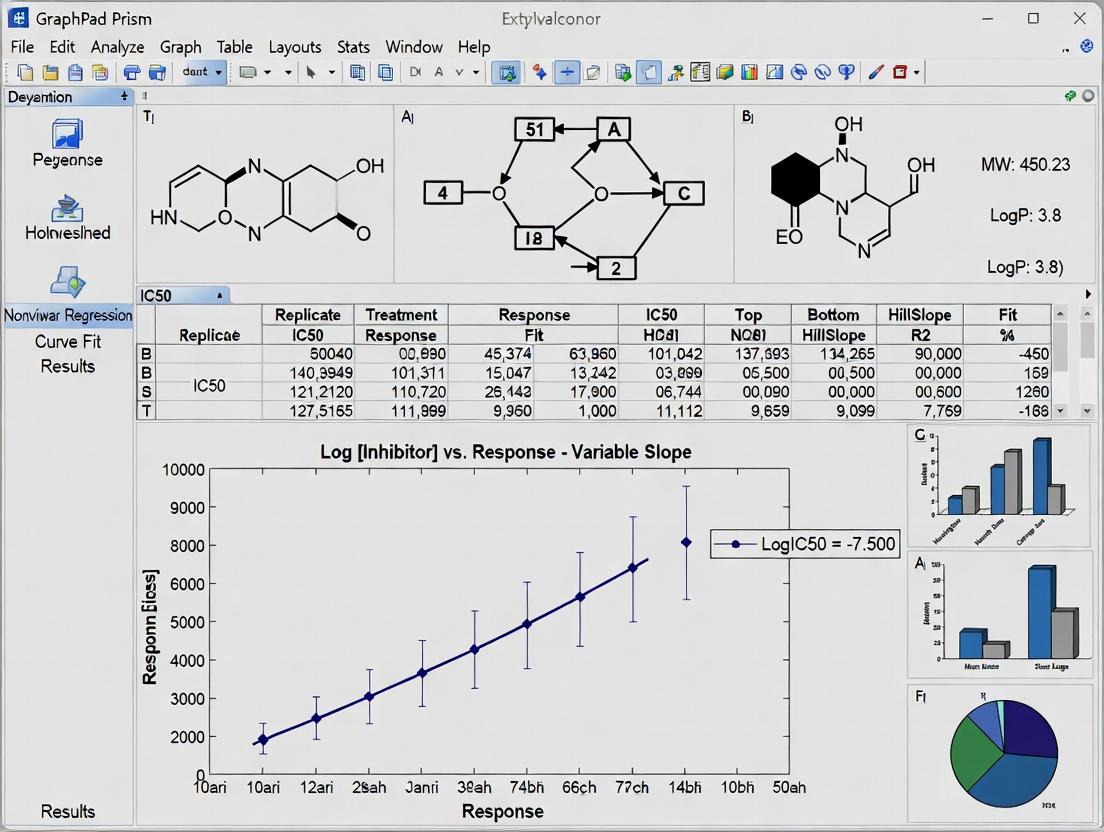
This comprehensive guide provides researchers and drug development professionals with a complete workflow for analyzing IC50 data using GraphPad Prism.
How to Calculate and Interpret IC50 Values in GraphPad Prism: A Step-by-Step Guide for Biomedical Research
Abstract
This comprehensive guide provides researchers and drug development professionals with a complete workflow for analyzing IC50 data using GraphPad Prism. It begins with the foundational concepts of dose-response curves and the IC50 metric, then details the step-by-step methodology for data entry, nonlinear regression fitting, and curve generation. The guide addresses common troubleshooting scenarios, including poor curve fits and data normalization issues, and offers optimization strategies for reproducible results. Finally, it covers critical validation steps, statistical comparisons of multiple IC50 values, and best practices for reporting findings in publications. This article serves as an essential resource for accurate and reliable pharmacodynamic analysis.
IC50 Fundamentals: Understanding Dose-Response and the Curve-Fitting Mindset
What is IC50 (and EC50)? Defining the Key Metric in Drug Discovery
In drug discovery, quantifying the potency of a compound is fundamental. IC50 and EC50 are the two most critical metrics used to report this potency. IC50 (Half Maximal Inhibitory Concentration) is the concentration of an inhibitor required to reduce a biological or biochemical process by half. Conversely, EC50 (Half Maximal Effective Concentration) is the concentration of an agonist that induces a response halfway between baseline and maximum. Within the context of thesis research on GraphPad Prism analysis, precise determination and rigorous statistical fitting of these values are paramount for robust conclusions.
Definitions and Key Distinctions
| Metric | Full Name | Measures Potency of... | Typical Context |
|---|---|---|---|
| IC50 | Half Maximal Inhibitory Concentration | An Inhibitor or Antagonist | Enzyme inhibition, cell viability assays, receptor blockade. |
| EC50 | Half Maximal Effective Concentration | An Agonist or Stimulator | Receptor activation, cell signaling response, gene expression. |
Note: A lower IC50 or EC50 value indicates a more potent compound.
Theoretical Framework and Data Analysis in GraphPad Prism
Dose-response experiments generate data best modeled by a nonlinear sigmoidal curve. GraphPad Prism is the industry standard for fitting this data to the four-parameter logistic (4PL) equation:
Y = Bottom + (Top - Bottom) / (1 + 10^((LogEC50 - X) * Hillslope))
Where:
- Y = Response
- X = Logarithm of compound concentration
- Bottom = Plateau at minimal response
- Top = Plateau at maximal response
- LogEC50/IC50 = The center point of the curve (the parameter of interest)
- Hillslope = Steepness of the curve
Application Notes & Protocols
Protocol 1: Determining IC50 in a Cell Viability Assay (MTT Assay)
Objective: To determine the IC50 of a novel kinase inhibitor on cancer cell proliferation.
Workflow Diagram:
Title: Cell Viability IC50 Assay Workflow
Detailed Steps:
- Plate cells at optimal density (e.g., 5,000 cells/well) in 100 µL growth medium. Include background control (medium only).
- Incubate for 24h at 37°C, 5% CO₂.
- Prepare inhibitor in 10-point, 1:3 serial dilution in medium. Replace medium with 100 µL of each concentration (n=3-4 replicates).
- Incubate with compound for 72h.
- Add 10 µL of MTT reagent (5 mg/mL in PBS) to each well.
- Incubate for 4h at 37°C.
- Carefully remove medium and add 100 µL of DMSO or specified solubilization buffer.
- Incubate on a shaker overnight at room temperature to dissolve formazan crystals.
- Measure absorbance at 570 nm (reference ~650 nm).
- Analysis in GraphPad Prism:
- Input data: X=log(Inhibitor Concentration), Y=% Viability (Normalized to Control).
- Nonlinear regression: Choose "[Inhibitor] vs. normalized response -- Variable slope (four parameters)".
- Constrain Bottom to 0% and Top to 100% if plateaus are well-defined.
- Prism outputs the IC50 with 95% confidence interval.
Protocol 2: Determining EC50 in a cAMP Accumulation Assay
Objective: To determine the EC50 of a GPCR agonist via a cAMP-responsive luciferase reporter.
Signaling Pathway Diagram:
Title: cAMP Assay Agonist Signaling Pathway
Detailed Steps:
- Seed cells stably expressing the GPCR and a cAMP-response element (CRE)-driven luciferase reporter.
- Serum-starve cells for 4-6 hours prior to assay.
- Prepare agonist in 8-point, 1:10 serial dilution in assay buffer.
- Aspirate medium and add agonist dilutions (n=3 replicates).
- Incubate for 5-6h at 37°C to allow for luciferase expression.
- Lyse cells and add luciferase substrate according to kit instructions.
- Measure luminescence on a plate reader.
- Analysis in GraphPad Prism:
- Input data: X=log(Agonist Concentration), Y=Raw Luminescence or Fold-Over-Basal.
- Nonlinear regression: Choose "[Agonist] vs. response -- Variable slope (four parameters)".
- The EC50 is the X-value at the midpoint between the Bottom (basal) and Top (maximal) plateaus.
The Scientist's Toolkit: Research Reagent Solutions
| Item | Function in IC50/EC50 Assays |
|---|---|
| GraphPad Prism Software | Industry-standard for nonlinear curve fitting, statistical analysis, and graphical presentation of dose-response data. |
| CellTiter 96 AQueous One (MTT) | Colorimetric cell viability assay reagent. Metabolically active cells reduce MTT to purple formazan. |
| cAMP-Glo Max Assay (Promega) | Bioluminescent assay for measuring cAMP accumulation via protein kinase A activation. |
| HBSS Buffer (Hanks') | Balanced salt solution used for washing cells and diluting compounds in functional assays. |
| Dimethyl Sulfoxide (DMSO) | Universal solvent for reconstituting small molecule compounds; final concentration should be ≤0.1% in assays. |
| White/Clear 96-well Assay Plates | Optically clear plates for absorbance/luminescence readings; white plates enhance luminescence signal. |
| Multichannel Pipette | Essential for rapid, reproducible liquid handling during serial dilutions and reagent addition. |
| Labcyte Echo Liquid Handler | Acoustic dispenser for non-contact, precise transfer of compound doses in DMSO for high-throughput screening. |
Data Presentation: Example Results Table
Table 1: Comparative potency of candidate compounds from a kinase inhibition screen analyzed in GraphPad Prism.
| Compound ID | Target | Assay Type | IC50 (nM) [95% CI] | Hillslope | R² |
|---|---|---|---|---|---|
| CPI-001 | JAK2 | Cell Viability (MTT) | 10.5 [9.1 - 12.2] | -1.2 | 0.99 |
| CPI-002 | JAK2 | Cell Viability (MTT) | 25.8 [22.4 - 29.7] | -1.0 | 0.98 |
| CPI-003 | JAK2 | Enzyme Activity | 5.2 [4.5 - 6.0] | -1.1 | 0.99 |
| AGN-001 | GPCR-A | cAMP Accumulation | 0.8 [0.7 - 1.0] | 1.0 | 0.99 |
CI = Confidence Interval.
Within the context of a broader thesis on GraphPad Prism analysis of IC50 data, the log(inhibitor) versus response model is fundamental. This model describes how a biological response (e.g., enzyme activity, cell viability) diminishes as the concentration of an inhibitory compound increases. The relationship is typically sigmoidal (S-shaped) when the inhibitor concentration is plotted on a logarithmic scale. The core theory posits that at low concentrations, the inhibitor has minimal effect; as concentration increases, the response decreases sharply in a linear phase; and at high concentrations, the response plateaus at a minimum level. The midpoint of this sigmoidal curve is the IC50 (half-maximal inhibitory concentration), a critical parameter for quantifying compound potency.
Key Quantitative Parameters & Data Tables
The four-parameter logistic (4PL) equation used to fit the sigmoidal curve in GraphPad Prism is:
Response = Bottom + (Top - Bottom) / (1 + 10^((LogIC50 - X) * HillSlope))
Where:
- X is the logarithm of the inhibitor concentration.
- Response is the measured effect.
- Top and Bottom are the plateaus in the units of the Y axis.
- LogIC50 is the X value when the response is halfway between Bottom and Top.
- HillSlope describes the steepness of the curve.
Table 1: Key Parameters from a Typical IC50 Curve Analysis
| Parameter | Symbol | Interpretation | Typical Units |
|---|---|---|---|
| IC50 | IC₅₀ | Concentration causing 50% inhibition. | nM, µM |
| LogIC50 | Log(IC₅₀) | Logarithm (base 10) of the IC50. | Log[Molar] |
| Top Plateau | Top | Response in the absence of inhibitor. | % Control, RFU |
| Bottom Plateau | Bottom | Response at infinite inhibitor. | % Control, RFU |
| Hill Coefficient | HillSlope | Steepness/slope factor of the curve. | Unitless |
Table 2: Example IC50 Data Output from GraphPad Prism
| Compound | Best-fit IC50 (µM) | 95% CI (µM) | Hill Slope | R² (Goodness-of-fit) |
|---|---|---|---|---|
| Reference Inhibitor | 0.105 | [0.089 - 0.124] | -1.2 | 0.994 |
| Test Compound A | 1.76 | [1.45 - 2.14] | -0.95 | 0.978 |
| Test Compound B | 0.025 | [0.021 - 0.030] | -1.5 | 0.991 |
Experimental Protocols
Protocol 1: GenericIn VitroEnzyme Inhibition Assay for IC50 Determination
Objective: To determine the IC50 of a small-molecule inhibitor against a target enzyme.
Materials: (See Scientist's Toolkit) Procedure:
- Serial Dilution: Prepare a 2-fold or 3-fold serial dilution series of the test inhibitor in DMSO. Use at least 8-10 concentrations spanning the expected active range. Include a DMSO-only control (0% inhibition) and a well-characterized reference inhibitor control.
- Reaction Mixture: In a 96-well assay plate, combine buffer, enzyme, and substrate at predetermined optimal concentrations.
- Inhibition: Add the diluted inhibitor (or DMSO control) to the reaction mixture. Pre-incubate enzyme with inhibitor for 15-30 minutes before initiating the reaction with substrate, unless otherwise required.
- Kinetic Measurement: Initiate the reaction and measure the product formation spectrophotometrically or fluorometrically over a linear time period.
- Data Normalization: Calculate reaction rates. Normalize data: DMSO control = 100% activity, background (no enzyme) = 0% activity.
- Analysis: Input normalized % activity (Y) vs. log10[Inhibitor] (X) into GraphPad Prism. Select "Nonlinear regression (curve fit)" > "Inhibitor vs. response -- Variable slope (four parameters)" for analysis.
Protocol 2: Cell-Based Viability Assay (MTT) for IC50 Determination
Objective: To determine the IC50 of a compound for inhibition of cell proliferation/viability.
Materials: (See Scientist's Toolkit) Procedure:
- Cell Seeding: Seed adherent cells in a 96-well plate at an optimized density for exponential growth.
- Compound Treatment: After 24 hours, treat cells with a serial dilution of the test compound in fresh culture medium. Include a media-only control (100% viability) and a cytotoxic control (0% viability, e.g., 1% SDS).
- Incubation: Incubate cells with compound for 48-72 hours.
- Viability Measurement: Add MTT reagent to each well. Incubate for 2-4 hours to allow formazan crystal formation. Carefully remove media and solubilize crystals with DMSO or SDS solution.
- Absorbance Reading: Measure absorbance at 570 nm with a reference wavelength of 650 nm.
- Data Normalization & Analysis: Normalize absorbance: Media control = 100%, cytotoxic control = 0%. Input normalized % viability (Y) vs. log10[Compound] (X) into GraphPad Prism and fit using the four-parameter logistic model as in Protocol 1.
Visualizations
Diagram 1: Sigmoidal IC50 Curve Parameters
Diagram 2: GraphPad Prism IC50 Analysis Workflow
The Scientist's Toolkit
Table 3: Essential Research Reagents & Materials for IC50 Assays
| Item | Function & Role in IC50 Model | Example(s) |
|---|---|---|
| Target Enzyme / Cell Line | The biological system whose activity is being inhibited. Purified recombinant enzyme or relevant mammalian cell line. | Kinase (e.g., JAK2), Cancer cell line (e.g., HeLa). |
| Chemical Inhibitor (Test Compound) | The molecule being characterized. Diluted serially to generate the log concentration range for the X-axis. | Small-molecule inhibitor, clinical candidate. |
| Fluorogenic/Coupled Substrate | Allows quantitative measurement of enzyme activity over time in in vitro assays. | ATP, peptide substrate linked to fluorophore. |
| Cell Viability Dye (MTT, Resazurin) | Quantifies metabolic activity as a proxy for cell number/viability in cell-based assays. | MTT (3-(4,5-dimethylthiazol-2-yl)-2,5-diphenyltetrazolium bromide). |
| Assay Buffer (with Cofactors) | Provides optimal pH, ionic strength, and essential components (e.g., Mg²⁺ for kinases) for biological activity. | Tris or HEPES buffer, MgCl₂, DTT. |
| Dimethyl Sulfoxide (DMSO) | Universal solvent for dissolving hydrophobic small-molecule inhibitors. Final concentration must be kept constant (<1%) to avoid cytotoxicity. | Molecular biology grade DMSO. |
| GraphPad Prism Software | Industry-standard tool for nonlinear regression fitting of the log(inhibitor) vs. response model to calculate IC50 and associated statistics. | Version 10.0+. |
This document provides foundational protocols for organizing experimental data, a critical prerequisite for robust dose-response analysis within a broader thesis employing GraphPad Prism for IC50 determination. Proper data structuring is essential for accurate curve fitting, statistical validation, and reproducibility in pharmacological and biochemical research.
Raw data must be formatted to match Prism’s expected input for XY analyses. The primary table structure is as follows:
Table 1: Standardized Raw Data Format for Prism Entry
| Experiment ID | Compound | Target | Log[Dose] (M) | Dose (M) | Response (Units) | Replicate | Normalized Response (%) |
|---|---|---|---|---|---|---|---|
| EXP_001 | Compound A | Kinase X | -9.0 | 1.00E-09 | 12540 RFU | 1 | 98.5 |
| EXP_001 | Compound A | Kinase X | -8.5 | 3.16E-09 | 12480 RFU | 1 | 97.9 |
| EXP_001 | Compound A | Kinase X | -8.0 | 1.00E-08 | 11850 RFU | 1 | 93.0 |
| EXP_001 | Compound A | Kinase X | -7.0 | 1.00E-07 | 7520 RFU | 1 | 59.0 |
| EXP_001 | Compound A | Kinase X | -6.0 | 1.00E-06 | 1520 RFU | 1 | 11.9 |
| EXP_001 | Compound A | Kinase X | -5.0 | 1.00E-05 | 250 RFU | 1 | 2.0 |
| EXP_001 | Compound A | Kinase X | -9.0 | 1.00E-09 | 12610 RFU | 2 | 98.9 |
| EXP_001 | Compound A | Kinase X | -8.0 | 1.00E-08 | 11900 RFU | 2 | 93.4 |
Response units can be RFU (Relative Fluorescence Units), OD, counts, etc. Normalized Response is calculated relative to controls (see Protocol 3.2).
Table 2: Essential Control Values for Normalization
| Control Type | Assay Readout (Mean ± SD, n=3) | Purpose in Normalization |
|---|---|---|
| Vehicle (0% Inhibition) | 12750 ± 320 RFU | Defines 100% response baseline |
| Reference Inhibitor (100% Inhibition) | 150 ± 45 RFU | Defines 0% response baseline |
| Background (No Enzyme) | 120 ± 30 RFU | Optional for background subtraction |
Experimental Protocols
Protocol 3.1: Data Generation via Dose-Response Assay (Cell-Based Viability)
Objective: To generate raw response data for IC50 analysis of a novel anti-cancer compound. Materials: See "The Scientist's Toolkit" (Section 6). Procedure:
- Cell Plating: Seed HeLa cells in a 96-well plate at 5,000 cells/well in 100 µL complete medium. Incubate (37°C, 5% CO2) for 24 hrs.
- Compound Dilution & Addition:
- Prepare a 10 mM stock of the test compound in DMSO.
- Perform a serial 1:10 dilution in DMSO to create a 11-point dilution series (e.g., 10 mM to 1 µM).
- Further dilute each dilution 1:100 in cell culture medium (final DMSO = 1%).
- Remove medium from plated cells and add 100 µL of compound-containing medium (final concentrations: 100 µM to 0.01 µM). Include vehicle (1% DMSO) and staurosporine (10 µM) controls.
- Incubation: Incubate plate for 72 hours.
- Viability Measurement:
- Add 20 µL of MTT reagent (5 mg/mL in PBS) per well.
- Incubate for 4 hours.
- Carefully remove medium and solubilize formed formazan crystals with 150 µL DMSO.
- Shake plate for 10 minutes.
- Measure absorbance at 570 nm with a reference at 650 nm.
- Raw Data Recording: Record absorbance for each well, linking it to the corresponding compound and dose.
Protocol 3.2: Data Normalization & Prism Preparation Workflow
Objective: To transform raw assay readouts into normalized response percentages suitable for Prism. Procedure:
- Calculate Mean Controls: Average the reads from all vehicle control wells (Vavg) and all maximum inhibition control wells (Iavg).
- Background Subtraction (Optional): Subtract the average background control (no cells) from all raw values, including controls.
- Normalize Each Replicate: For each well, apply the formula:
Normalized Response (%) = 100 * ( (Raw_Value - I_avg) / (V_avg - I_avg) ) - Calculate Log10(Dose): For each dose concentration (Molar), compute its logarithm (base 10).
- Organize Data Table: Create a table with columns:
Log[Dose],Dose,Normalized Response (%). Place replicates in side-by-side subcolumns or stack them with a replicate identifier. - Prism Entry: Create a new XY data table in Prism. Paste
Log[Dose]into X column and correspondingNormalized Response (%)values into Y columns for each replicate.
Visual Workflows & Diagrams
Diagram Title: Workflow for Preparing Dose-Response Data for Prism
Diagram Title: Data Organization Role in the IC50 Analysis Thesis
The Scientist's Toolkit: Research Reagent Solutions
Table 3: Essential Materials for Dose-Response Assays
| Item | Function & Brief Explanation |
|---|---|
| GraphPad Prism Software | Industry-standard for curve fitting, statistical analysis, and graphing of dose-response data. Enables robust IC50/EC50 calculation. |
| DMSO (Cell Culture Grade) | Universal solvent for compound libraries. Must be high purity and used at minimal final concentration (<0.5-1%) to avoid cytotoxicity. |
| Reference Inhibitor (e.g., Staurosporine) | Well-characterized potent inhibitor serving as a positive control for 100% inhibition in viability/kinase assays. |
| Cell Viability Assay Kit (e.g., MTT, CellTiter-Glo) | Homogeneous, optimized reagent systems for quantifying live cells, providing the raw response readout. |
| Electronic Lab Notebook (ELN) | Critical for meticulous tracking of compound IDs, dilution schemes, plate maps, and raw data linkage. |
| Automated Liquid Handler | Ensures precision and reproducibility in serial dilutions and compound transfers across 96/384-well plates. |
| Multi-Mode Microplate Reader | Detects absorbance, fluorescence, or luminescence signals from assay wells, generating the primary quantitative data. |
| Data Validation Software (e.g., Spotfire, in-house scripts) | Tools for performing initial QC checks (Z'-factor calculation, control plate uniformity) before Prism analysis. |
Application Notes
Within the broader thesis on GraphPad Prism analysis of IC50 data research, selecting the appropriate nonlinear regression model is paramount for accurate quantification of dose-response relationships, such as inhibitor potency. The "log(inhibitor) vs. response -- Variable slope" model is a cornerstone for analyzing data where the Hill slope (steepness of the curve) is not constrained to a fixed value, providing a more flexible and often more accurate fit for experimental biological data.
This model is defined by the four-parameter logistic (4PL) equation:
Y = Bottom + (Top - Bottom) / (1 + 10^((LogIC50 - X)*HillSlope))
Where:
- Y is the response.
- X is the logarithm of the inhibitor concentration.
- Top and Bottom are the plateaus of the curve.
- LogIC50 is the logarithm of the concentration that gives a response halfway between Top and Bottom.
- HillSlope (or slope factor) describes the steepness of the curve.
Key Data Comparison
Table 1: Comparison of Logistic Model Fits for a Sample Kinase Inhibitor Dataset
| Model Name | Parameters Constrained | IC50 (nM) | Hill Slope | R² | Application Context |
|---|---|---|---|---|---|
| log(inhibitor) vs. response – Variable slope | None | 15.2 (13.8 - 16.7)* | -1.3 | 0.994 | Standard for most dose-response assays; accounts for cooperative effects. |
| log(inhibitor) vs. response – Fixed slope (Hill=1) | Hill Slope = -1 | 24.5 (22.1 - 27.2)* | -1 (fixed) | 0.972 | Used when mechanism dictates a 1:1 binding stoichiometry; can be misleading if violated. |
| log(agonist) vs. response | None | N/A | 1.8 | 0.991 | Used for agonist stimulation, not inhibitor analysis. |
*95% confidence interval in parentheses.
Table 2: Impact of Model Selection on Interpreted Potency (IC50)
| Experimental System | Variable Slope IC50 | Fixed Slope (Hill=1) IC50 | % Difference | Recommendation |
|---|---|---|---|---|
| Receptor Antagonist (Cell-based) | 2.1 nM | 5.8 nM | +176% | Always use variable slope for cellular systems with signal amplification. |
| Enzyme Inhibitor (Biochemical) | 0.8 nM | 0.9 nM | +12.5% | Variable slope is still preferred; fixed slope may be justified with thorough validation. |
Experimental Protocols
Protocol 1: Generating Dose-Response Data for IC50 Analysis
Objective: To treat a cellular or enzymatic system with a serial dilution of an inhibitor and measure the functional response for fitting with Prism's nonlinear regression models.
Materials: See "The Scientist's Toolkit" below.
Procedure:
- Compound Serial Dilution:
- Prepare a 10 mM stock solution of the test inhibitor in 100% DMSO.
- Perform a 1:3 or 1:10 serial dilution in DMSO to create 10-12 working stock concentrations, ensuring the final DMSO concentration is constant and non-cytotoxic (typically ≤0.1% v/v) across all wells.
- Cell-Based Assay Setup:
- Seed cells in a 96-well plate at an optimized density and culture for 24 hours.
- Replace medium with fresh medium containing the diluted inhibitor (from Step 1) or vehicle control. Include wells for "Top" (vehicle control) and "Bottom" (e.g., a maximal inhibitory control compound).
- Incubate for the predetermined treatment time (e.g., 2 hours).
- Response Measurement:
- Develop the assay according to kit or standard protocols (e.g., add CellTiter-Glo for viability, read fluorescence/ luminescence).
- Measure the signal using a plate reader.
- Data Preprocessing in Prism:
- Enter raw data with inhibitor concentrations in column X and response values in column Y.
- Transform the X column to "Log(Concentration)" using Prism's "Transform" function.
Protocol 2: Fitting Data with the Variable Slope Model in GraphPad Prism
Objective: To fit dose-response data to the "log(inhibitor) vs. response – Variable slope" model and interpret the results.
Procedure:
- Model Selection:
- Navigate to the "Analyze" menu, select "Nonlinear regression (curve fit)".
- Under "Dose-response – Inhibition," choose "log(inhibitor) vs. response – Variable slope (four parameters)".
- Constraint Settings:
- In the constraints tab, typically leave all four parameters (Top, Bottom, LogIC50, Hill Slope) unconstrained for the initial fit.
- If the response is normalized (0% to 100%), you may constrain Top to 100 and Bottom to 0.
- Fitting and Output:
- Click "OK" to perform the regression.
- Prism will generate a curve fit graph and a results sheet containing the best-fit values, standard errors, and 95% confidence intervals for all parameters.
- Interpretation:
- The IC50 is calculated as 10^(LogIC50).
- The Hill Slope indicates negative cooperativity (if < -1), positive cooperativity (if > -1), or simple bimolecular binding (if near -1).
- Assess the R² and the width of the confidence intervals to gauge fit quality.
Visualizations
Title: Workflow for Nonlinear Dose-Response Analysis in Prism
Title: Four-Parameter Logistic Model Components
The Scientist's Toolkit
Table 3: Essential Research Reagents & Materials for Dose-Response Assays
| Item | Function / Description |
|---|---|
| Test Inhibitor Compound | The molecule of interest whose potency (IC50) is being determined. Requires high purity and accurate solubilization (often in DMSO). |
| Cell Line or Purified Enzyme | The biological target system. Cell lines should be validated and mycoplasma-free. Enzymes should be of high specific activity. |
| DMSO (Cell Culture Grade) | Universal solvent for many small molecules. Critical to keep final concentration constant and low (≤0.1%) to avoid toxicity artifacts. |
| 96- or 384-Well Assay Plates | Standard format for high-throughput dose-response experiments. Tissue-culture treated for cell-based assays. |
| Cell Viability/Proliferation Assay Kit (e.g., CellTiter-Glo) | Luminescent assay to quantify ATP, correlating with metabolically active cells for cytotoxicity or proliferation studies. |
| Enzyme Activity Assay Substrate | A fluorogenic or colorimetric substrate specific to the target enzyme, allowing quantification of inhibition. |
| Multimode Plate Reader | Instrument to detect absorbance, fluorescence, or luminescence signals from assay plates. |
| GraphPad Prism Software | Industry-standard for nonlinear regression analysis, curve fitting, and graphical presentation of dose-response data. |
Application Notes
In the analysis of dose-response data—such as IC₅₀ determination in drug discovery research using GraphPad Prism—nonlinear regression to a sigmoidal curve (typically a four-parameter logistic or Hill equation) is standard. The core equation is: Y = Bottom + (Top – Bottom) / (1 + 10^((LogIC₅₀ – X) * HillSlope)). Interpreting the key parameters beyond the IC₅₀ itself is critical for robust scientific conclusions.
- Top and Bottom (Plateaus): Represent the maximum and minimum observed responses in the units of Y. The Top is the response in the absence of inhibitor (or with minimal stimulus). The Bottom is the response at maximal inhibition or saturation. In an ideal inhibition assay, the Bottom should equal the baseline signal from negative controls.
- Hill Slope (Steepness): Describes the steepness of the curve. A slope of 1.0 suggests a simple bimolecular interaction (one ligand binding to one receptor). Slopes >1 suggest positive cooperativity, while slopes <1 suggest negative cooperativity or heterogeneity in receptor populations. It is a unitless parameter.
- R² (Goodness-of-fit): Quantifies how well the regression model explains the observed data. In curve fitting, it is calculated from the sum of squares. A value closer to 1.0 indicates the model accounts for most of the variability in Y. However, a high R² does not guarantee the model is correct, nor does a lower R² always mean poor data—it must be assessed in context.
Quantitative Parameter Interpretation Table
| Parameter | Typical Ideal Range | Significance | Flag for Investigation |
|---|---|---|---|
| Top | Matches positive control response | Defines 0% inhibition baseline. | >15% deviation from positive control mean. |
| Bottom | Matches negative control response | Defines 100% inhibition baseline. | Does not plateau near negative control signal. |
| Hill Slope | ~1.0 (context-dependent) | Indicates stoichiometry & cooperativity. | <0.5 or >2.0 without mechanistic rationale. |
| R² | >0.95 (for precise assays) | Measures fit quality to the chosen model. | <0.90 for a complete curve with clear plateau(s). |
| IC₅₀ | Within assay dynamic range | Potency metric. | At extreme ends of concentration range tested. |
Experimental Protocol: IC₅₀ Determination for a Kinase Inhibitor
Objective: Determine the half-maximal inhibitory concentration (IC₅₀) of a novel compound against a target kinase.
Materials & Reagents (The Scientist's Toolkit)
| Item | Function |
|---|---|
| Recombinant Kinase Protein | The enzymatic target of the study. |
| ATP Substrate | Phosphate donor for the kinase reaction. |
| Fluorogenic Peptide Substrate | Contains phosphorylation site; emits signal upon phosphorylation. |
| Test Compound | Serial dilutions prepared in DMSO/assay buffer. |
| Control Inhibitor (Staurosporine) | Reference compound with known activity. |
| Detection Reagents (e.g., ADP-Glo) | Measures kinase activity via ADP production. |
| White 384-Well Assay Plates | Low background for luminescence detection. |
| GraphPad Prism Software | For nonlinear regression and curve fitting. |
Procedure:
- Compound Dilution: Prepare a 100X stock of test compound in 100% DMSO. Using assay buffer, perform a 1:3 serial dilution for 10 concentrations. Include a DMSO-only (no inhibitor) control as the "Top" and a control inhibitor at saturating concentration as the "Bottom."
- Assay Assembly: In a 384-well plate, add 2 µL of each compound dilution or control to appropriate wells. Add 18 µL of kinase/peptide substrate mix in reaction buffer.
- Reaction Initiation: Initiate the reaction by adding 5 µL of ATP solution. Final DMSO concentration must be constant (e.g., 1%) across all wells. Incubate at room temperature for 60 minutes.
- Detection: Stop the reaction and add detection reagent according to the manufacturer's protocol (e.g., ADP-Glo). Incubate for 40 minutes and measure luminescence on a plate reader.
- Data Analysis in GraphPad Prism: a. Enter raw luminescence data. Normalize data: Set response from "DMSO control" wells to 0% inhibition and "control inhibitor" wells to 100% inhibition. b. Transform compound concentrations to logarithms. c. Navigate to Analysis > Nonlinear regression (curve fit). d. Select the equation: Dose-response – Inhibition and the model: log(inhibitor) vs. normalized response – Variable slope (four parameters). e. Ensure constraints: Top and Bottom can be set to constant values (0 and 100) if plateaus are well-defined by controls, or left to float if determined by the data. f. Review the results table for the fitted parameters: IC₅₀, Hill Slope, Top, Bottom, and R². g. Visually inspect the curve fit overlaid on the data points.
Diagram: IC₅₀ Curve Parameter Visualization
Diagram: Workflow for GraphPad Prism IC50 Analysis
Hands-On Prism Tutorial: From Raw Data to Publication-Ready IC50 Curves
This protocol details the critical first step in GraphPad Prism analysis for IC50 determination within drug discovery research. Accurate data entry is foundational for reliable non-linear regression curve fitting and subsequent potency analysis.
Application Notes
Proper table setup in GraphPad Prism directly influences the accuracy of dose-response models. The software requires a specific data organization format where X values represent the log of the inhibitor concentration, and Y values are the replicate response measurements (e.g., % inhibition, normalized fluorescence). Common errors at this stage, such as entering linear concentration instead of molar log concentration or misaligning replicates, propagate through the analysis, leading to incorrect IC50 estimates. For robust analysis, a minimum of three replicates per concentration is recommended, with data points spanning the full dynamic range of the response. The table structure should clearly separate different experimental conditions or compounds for comparative analysis.
Experimental Protocols
Protocol 1: Constructing a Dose-Response Data Table in GraphPad Prism
- Launch GraphPad Prism and select "Create a new project."
- In the "New Table & Graph" dialog, choose the "XY" data table type.
- Select "Enter and plot a single Y value for each point" or "Enter and plot error values calculated from replicates" based on your preference for error bar display.
- Click "Create."
- In the X column title cell: Replace "X" with a descriptive title, typically "Log[Inhibitor], M".
- Enter X values: Input the logarithm (base 10) of the molar concentration for each tested dose. For example, for a 10 µM (0.00001 M) concentration, enter "-5.0".
- Enter Y values: In the corresponding Y column(s), input the replicate response values for each concentration. Place each replicate in its own subcolumn under the same X value.
- Data Organization: To analyze multiple compounds or experimental runs simultaneously, enter each dataset in a separate Y data set column family. Use the "Info" sheet to annotate each data set.
Protocol 2: Data Validation and Preparation Prior to Entry
- Normalize Response Data: Convert raw assay signals (e.g., absorbance, luminescence) to a normalized response (e.g., % Inhibition or % Activity).
- Formula for % Inhibition:
((MeanControl - Signal) / (MeanControl - MeanMinimal)) * 100 - Controls: Include vehicle-only (0% inhibition) and maximal inhibitor/blank (100% inhibition) wells on each plate.
- Formula for % Inhibition:
- Calculate Log Concentration: Transform the molar concentration of each test compound dose using a calculator or spreadsheet:
X = log10(Molar_Concentration). - Replicate Management: Arrange data such that all replicate measurements for a single condition are grouped. Identify and document potential outliers at this stage using predefined statistical criteria (e.g., Grubbs' test), but do not remove them without justification.
- Documentation: In Prism's "Results" or "Notes" section, record the assay name, date, experimenter, and the normalization formula applied.
Signaling Pathway: General Dose-Response Analysis Workflow
Title: IC50 Analysis Workflow in Prism
The Scientist's Toolkit: Research Reagent Solutions
| Item | Function in IC50 Assay |
|---|---|
| GraphPad Prism Software | Performs statistical analysis, nonlinear regression curve fitting (e.g., four-parameter logistic model), and generates publication-quality graphs for dose-response data. |
| Compound Dilution Series | A serial dilution of the test compound, typically in DMSO, to create a range of concentrations spanning expected potency for assay incubation. |
| Vehicle Control (e.g., DMSO) | Serves as the "zero inhibition" control; final concentration in assay must be consistent across all wells to avoid solvent artifacts. |
| Reference Inhibitor | A compound with a known, validated IC50 in the assay, used as a positive control for experimental validity and plate-to-plate normalization. |
| Assay Substrate/Reagent Kit | Provides the biochemical components (enzymes, cofactors, detection probes) necessary to measure the target activity signal. |
| Multi-Channel Pipette & Plates | Enables rapid and reproducible liquid handling for setting up replicate wells across 96- or 384-well microplate formats. |
| Plate Reader | Instrument (e.g., spectrophotometer, fluorometer) to quantify the assay's optical signal output for each well. |
| Data Analysis Spreadsheet | Template for initial raw data processing, normalization, and log transformation before entry into Prism. |
This protocol, within a thesis on GraphPad Prism analysis of IC50 data, details the procedure for fitting a nonlinear regression model to dose-response data to quantify drug potency (IC50/EC50).
Application Notes
Nonlinear regression is essential for analyzing sigmoidal dose-response relationships. The four-parameter logistic (4PL) model is the industry standard, defining the curve by its Bottom, Top, Hill Slope (Steepness), and the critical IC50/EC50 value (the concentration at the curve's midpoint). Accurate fitting requires appropriate weighting, outlier management, and model selection based on the biological system. The output provides precise potency metrics with confidence intervals for robust statistical comparison.
Table 1: Key Parameters of the Four-Parameter Logistic (4PL) Model
| Parameter | Symbol | Typical Default Constraint in Prism | Biological/Experimental Interpretation |
|---|---|---|---|
| Bottom Plateau | Bottom | Often set to constant 0 (Inhibition) or unconstrained | Response in the absence of drug (e.g., minimal inhibition or basal activity). |
| Top Plateau | Top | Often set to constant 100 (Inhibition) or unconstrained | Maximum effect of the drug (e.g., complete inhibition or full agonist response). |
| Hill Slope | HS | Unconstrained (can be positive or negative) | Steepness of the curve. Negative for inhibitory responses (IC50). Reflects cooperativity. |
| IC50 / EC50 | IC50/EC50 | Unconstrained, must be >0 | Potency. Concentration giving a response halfway between Bottom and Top. |
| LogIC50 | LogIC50 | Unconstrained | The logarithm (base 10) of the IC50. Directly fitted parameter for better convergence. |
Table 2: Common Nonlinear Regression Constraints for Different Assay Types
| Assay Readout | Expected Model | Typical Constraint Strategy | Notes |
|---|---|---|---|
| % Inhibition | 4PL (Inhibitor) | Bottom = 0, Top = 100 | Simplifies model; validate with control wells. |
| % Activation | 4PL (Agonist) | Bottom = 0 | Top is estimated as maximum agonist efficacy. |
| Cell Viability | 4PL (Inhibitor) | Top = 100 (DMSO control) | Bottom may be >0 if cytotoxic agent leaves a residual cell population. |
| pIC50/pEC50 | 4PL | None; analyze log(Concentration) | Results are directly reported as -log(IC50), facilitating comparison. |
Experimental Protocol: Fitting a Dose-Response Curve in GraphPad Prism
I. Data Entry & Table Format
- Create a new XY data table.
- Enter X values as the logarithm (base 10) of the compound concentration (e.g., log[M]).
- Enter Y values as the normalized response (e.g., % Inhibition, normalized fluorescence units).
- Replicate values should be entered in side-by-side subcolumns.
II. Nonlinear Regression Analysis
- Navigate to Analyze > Nonlinear regression (curve fit).
- Model Selection:
- Go to the Dose-Response – Inhibition or Dose-Response – Stimulation family.
- Select log(inhibitor) vs. response -- Variable slope (four parameters). This is the 4PL model:
Y=Bottom + (Top-Bottom)/(1+10^((LogIC50-X)*HillSlope)).
- Constraint Settings:
- In the Constraints tab, define parameters based on assay logic (see Table 2).
- Example: For % Inhibition, set Bottom constant to 0 and Top constant to 100.
- Weighting & Outliers:
- In the Weight tab, select Weight by 1/Y^2 or Weight by 1/SD^2 if replicates show non-constant scatter.
- In the Range tab, consider excluding obvious outlier points identified from initial fits.
- Fit the Curve:
- Click OK. Prism performs iterative fitting and outputs results.
III. Results Interpretation & Export
- Review the Results sheet. The key outputs are the best-fit values for LogIC50, Hill Slope, Top, and Bottom with their 95% confidence intervals.
- The IC50 is calculated as
10^(LogIC50). - Visually inspect the curve fit on the graph. Ensure the curve aligns with the data trend and that the 95% CI bands are not excessively wide.
- Export results and graphs for reporting.
The Scientist's Toolkit: Research Reagent Solutions
Table 3: Essential Materials for Dose-Response Assays & Analysis
| Item | Function & Relevance to Analysis |
|---|---|
| GraphPad Prism Software | Industry-standard for nonlinear regression, providing robust fitting algorithms, intuitive model selection, and automated calculation of IC50/EC50 with confidence intervals. |
| 384/96-well Cell Culture Plates | Standard platform for generating dose-response data; plate format impacts data point density and replicates. |
| DMSO (Cell Culture Grade) | Universal solvent for compound libraries. Final concentration must be normalized across all wells (typically ≤0.1%) to avoid solvent-induced artifacts. |
| Reference Inhibitor/Agonist | A compound with well-characterized potency (known IC50/EC50) used as a positive control to validate the assay performance and fitting protocol. |
| Cell Viability or Target Engagement Assay Kit (e.g., ATP-based, fluorescence) | Provides the normalized signal (Y-values). Assay dynamic range and precision directly affect the quality of the fitted curve parameters. |
| Electronic Lab Notebook (ELN) | Critical for documenting compound concentrations, plate layouts, and fitting constraints, ensuring analysis reproducibility. |
Visualizations
Dose-Response Curve Fitting Workflow
Anatomy of a 4PL Curve and Its Parameters
Application Notes on Visual Customization for IC50 Analysis
Effective visualization in GraphPad Prism transforms raw IC50 data into interpretable, publication-ready figures. The core principle is to enhance clarity without distorting the underlying data. For dose-response curves, clarity is achieved through deliberate choices in axis scaling, curve styling, and data point representation. The graph should immediately communicate the potency (IC50), efficacy (bottom plateau), and dynamic range (top plateau) of the tested compound. Consistency across a series of experiments is paramount, requiring saved templates and standardized color schemes. All annotations, such as the IC50 value and confidence intervals, must be placed non-obtrusively yet remain legible. The final graph must stand alone, with axis labels, units, and a legend that are fully descriptive.
Protocol: Customizing a Dose-Response Graph in GraphPad Prism
Objective: To generate a clear, standardized dose-response graph from fitted IC50 data.
Materials & Software:
- GraphPad Prism (Version 10.0 or later).
- Analyzed dose-response data table with nonlinear regression (log(inhibitor) vs. response -- Variable slope (four parameters)) completed.
- Pre-defined laboratory color palette for compound identification.
Procedure:
Generate Initial Graph:
- From the data table, navigate to the Sheets navigator. Click on the "Graphs" section and select the automatically generated "Dose-response curve."
- Alternatively, go to New > Graph of Existing Data and choose the appropriate data table.
Adjust Axis for Clarity:
- Double-click the X-axis. In the "Format Axes" dialog:
- Scale: Ensure it is set to Logarithmic (base 10).
- Range: Manually set the range to span at least two log units above and below the estimated IC50. Uncheck "Auto" to input fixed values (e.g., from -10 to -4 for 10^-10 M to 10^-4 M).
- Appearance: Set the axis line thickness to 1.5 pt. Choose a tick direction "In" for publication style.
- Double-click the Y-axis.
- Scale & Range: Typically keep as linear. Set the range from 0 to 100 (for % Inhibition) or 0 to 1000 (for raw response values). Ensure the "Bottom" baseline at 0% inhibition is clearly visible.
- Title & Units: Enter a descriptive title (e.g., "Response" or "% Inhibition") and the correct unit in the corresponding fields.
- Double-click the X-axis. In the "Format Axes" dialog:
Customize Data Representation:
- Double-click directly on any data point to open the "Format Graph" dialog.
- Data Points (Symbols):
- Select the appropriate data set from the list.
- Under "Plot," change the symbol Shape to a filled circle (○). Set Size to 4-5 pt.
- Set the Border color and Fill color according to your lab's compound scheme. Ensure high contrast against the white background.
- Curve (Fitted Line):
- In the same dialog, under the "Line" section for the data set, set Style to Solid and Thickness to 2 pt.
- Set the line color to match the data point border color, but consider using a slightly darker shade for emphasis.
Annotate Key Parameters:
- Using the Text Tool (T icon), add a text box to the graph.
- To display the IC50 value, you can manually type the result from the nonlinear regression results table in the format: "IC50 = X.XX nM (CI: Y.YY - Z.ZZ)". Use a sans-serif font (e.g., Arial) at 10-12 pt.
- For a dynamic link, use Prism's Auto-text feature. While editing the text box, right-click and select Insert Auto-text > Analysis > Parameter: LogIC50 (or IC50).
Apply Final Layout Consistency:
- Apply the same formatting steps to all graphs within the project.
- Use File > Save Template to save these settings as a "Dose-Response" template for future experiments.
- For export, use File > Export and choose TIFF or PDF format at a minimum resolution of 600 DPI for publications.
Table 1: Comparative IC50 Analysis of Candidate Compounds
| Compound ID | IC50 (nM) | 95% Confidence Interval (nM) | Hill Slope | R² of Fit | Top Plateau (% Inhibition) | Bottom Plateau (% Inhibition) |
|---|---|---|---|---|---|---|
| CPT-A | 12.5 | 9.8 - 15.9 | -1.15 | 0.992 | 98.5 | 2.1 |
| CPT-B | 45.2 | 38.7 - 52.8 | -0.98 | 0.986 | 97.8 | 3.5 |
| CPT-C | 2.1 | 1.5 - 2.9 | -1.32 | 0.989 | 99.1 | 1.8 |
| Vehicle | N/A | N/A | N/A | N/A | 5.2 | 4.7 |
Visualizing the Analysis Workflow
Title: GraphPad Prism IC50 Graph Customization Workflow
The Scientist's Toolkit: Key Reagents for Dose-Response Assays
Table 2: Essential Research Reagents for Cell-Based IC50 Assays
| Item | Function in Experiment |
|---|---|
| Test Compound Series | Serial dilutions of the investigational drug to establish a dose-response relationship. |
| Cell Line with Target Expression | Genetically engineered or disease-relevant cell line expressing the drug target (e.g., kinase, receptor). |
| Cell Viability/Proliferation Assay Kit (e.g., MTT, CellTiter-Glo) | Provides a luminescent or colorimetric readout proportional to the number of viable cells post-treatment. |
| DMSO (Cell Culture Grade) | Universal solvent for reconstituting lipophilic compounds; used at low, non-cytotoxic concentrations (typically <0.1%). |
| Positive Control Inhibitor | A compound with known, validated activity against the target to confirm assay system functionality. |
| Assay-Specific Buffer/Media | Optimized medium, often serum-free, to maintain cell health and ensure consistent compound activity during treatment. |
| Multi-well Microplate Reader | Instrument to measure the absorbance or luminescence signal from the viability assay kit. |
Application Notes
In the analysis of dose-response data for drug development, the half-maximal inhibitory concentration (IC50) and its 95% confidence interval (95% CI) are fundamental metrics for quantifying compound potency. This step details the precise extraction and documentation of these values from a nonlinear regression analysis performed in GraphPad Prism. Proper recording is critical for comparing compound efficacy, informing structure-activity relationships (SAR), and supporting regulatory submissions. The 95% CI provides a measure of the estimate's reliability, indicating the range within which the true IC50 value is likely to lie. Researchers must systematically locate these values from Prism's output and record them in a standardized format to ensure reproducibility and clarity in scientific reporting.
Protocol: Extracting IC50 and 95% CI from GraphPad Prism
Objective: To accurately locate, interpret, and record the best-fit IC50 value and its associated 95% Confidence Interval from a dose-response nonlinear regression analysis in GraphPad Prism.
Materials & Software:
- GraphPad Prism (Version 10.0 or newer)
- A Prism project file containing a completed nonlinear regression analysis of dose-response data, fit to a log(inhibitor) vs. response -- Variable slope (four parameters) model.
Procedure:
Navigate to the Results Section: In your Prism project, locate the "Results" section corresponding to the nonlinear regression fit of your dose-response curve. This is typically found in the "Navigator" pane under the sheet name followed by "Nonlinear regression (curve fit)".
Identify the Parameters Table: Within the results sheet, find the table titled "Parameters: Log(IC50) and Hillslope". This table contains the key fitted parameters.
Locate the LogIC50 Row: In the parameters table, find the row labeled "LogIC50". The "Best-fit value" column in this row provides the logarithm (base 10) of the IC50 estimate.
Record the 95% CI for LogIC50: In the same row, the columns labeled "95% CI" (or "95% Confidence Intervals") show the lower and upper bounds of the confidence interval for the LogIC50 value. Record both numbers.
Convert to Antilog: The IC50 and its CI are more useful in their linear, non-logarithmic form. To convert:
- IC50: Calculate 10^(Best-fit value of LogIC50). The unit is molar (M), typically reported as nM or µM.
- 95% CI Lower Bound: Calculate 10^(Lower bound of LogIC50 CI).
- 95% CI Upper Bound: Calculate 10^(Upper bound of LogIC50 CI).
Standardized Recording: Enter the calculated IC50 value and its 95% CI into your laboratory notebook or data summary table using a consistent format (e.g., IC50 = 45.2 nM (95% CI: 38.7 to 52.8 nM)).
Important Notes:
- The width of the 95% CI reflects the precision of the IC50 estimate. Narrow intervals indicate greater precision, often resulting from high-quality data with minimal scatter and an appropriate number of data points.
- If the confidence interval is extremely wide or the model fails to converge, review the experimental data and fitting constraints. The "Diagnostics" tab in the nonlinear regression results can provide clues.
- Always report the IC50 value with its 95% CI; reporting a point estimate alone is insufficient for rigorous scientific interpretation.
Table 1: Example IC50 Data Extraction from GraphPad Prism Nonlinear Regression
| Compound ID | Best-fit LogIC50 | 95% CI (LogIC50) | Calculated IC50 (nM) | 95% CI (IC50 in nM) | R² of Fit |
|---|---|---|---|---|---|
| Test-001 | -7.345 | -7.412 to -7.281 | 45.2 | 38.7 to 52.8 | 0.988 |
| Test-002 | -6.892 | -7.010 to -6.775 | 128.0 | 97.7 to 167.0 | 0.974 |
| Control (Ref) | -8.000 | -8.050 to -7.952 | 10.0 | 8.9 to 11.2 | 0.991 |
Diagrams
Extracting IC50 from GraphPad Prism Results
IC50 95% CI Precision Interpretation
The Scientist's Toolkit
Table 2: Essential Research Reagents & Materials for Dose-Response IC50 Assays
| Item | Function in IC50 Assay |
|---|---|
| Serial Dilution Compounds | The test agents prepared in a logarithmic dilution series (e.g., 1:10 dilutions) to generate the concentration range for the dose-response curve. |
| Cell-Based Assay Kit (e.g., CellTiter-Glo) | A luminescent or fluorescent viability assay to quantify the cellular response (inhibition) at each drug concentration. |
| Positive Control Inhibitor | A compound with a known, well-characterized IC50 against the target. Serves as an assay performance control and benchmark for new compounds. |
| DMSO (Dimethyl Sulfoxide) | A universal solvent for water-insoluble compounds. Must be controlled at a constant, low concentration (e.g., ≤0.1%) across all wells to avoid solvent toxicity artifacts. |
| GraphPad Prism Software | The statistical analysis platform used to perform nonlinear regression, calculate the best-fit IC50, and determine its 95% confidence intervals from raw assay data. |
| Electronic Lab Notebook (ELN) | For the systematic, secure, and traceable recording of the extracted IC50 values, confidence intervals, and associated experimental metadata. |
Application Notes
Within the broader thesis on GraphPad Prism analysis of IC50 data, the ability to analyze and compare multiple dose-response or inhibition curves on a single graph is fundamental. This advanced application allows researchers to directly compare the potency (IC50/EC50) and efficacy (maximal response) of different compounds or treatments, enabling critical decisions in lead optimization, mechanism of action studies, and treatment regimen comparisons.
The core analytical challenge lies in determining whether the differences observed between curves are statistically significant. GraphPad Prism provides a structured workflow for this, moving from visual inspection to global curve fitting and hypothesis testing. Key comparisons include testing for shared parameters (e.g., "Is the Hill Slope the same for all compounds?"), which simplifies the model and increases the power to detect differences in the parameters of greatest interest, typically the logIC50.
Current best practices emphasize the use of a global, shared model fit across all data sets, rather than fitting each curve independently. This approach is essential for robust statistical comparison of parameters via an extra sum-of-squares F test. The analysis answers questions such as: Does Treatment B cause a significant rightward shift (increase in IC50) compared to Control A? Does the novel antagonist (Compound X) demonstrate superior potency (lower IC50) than the standard of care?
Experimental Protocols
Protocol 1: Comparative IC50 Determination for Multiple Inhibitors in a Cell-Based Assay
Objective: To determine and compare the IC50 values of three novel kinase inhibitors (INH-01, INH-02, INH-03) against a reference inhibitor (Staurosporine) in a cellular proliferation assay.
Materials:
- Target cancer cell line (e.g., HeLa, A549).
- Complete cell culture medium.
- 96-well tissue culture-treated plates.
- Dimethyl sulfoxide (DMSO) for compound solubilization.
- Test compounds: INH-01, INH-02, INH-03, Staurosporine.
- Cell viability assay reagent (e.g., MTT, CellTiter-Glo).
- Plate reader (absorbance or luminescence).
Procedure:
- Cell Seeding: Seed cells in 96-well plates at an optimized density (e.g., 5,000 cells/well in 90 µL medium). Incubate overnight (37°C, 5% CO2) for adherence.
- Compound Dilution: Prepare 10 mM stock solutions of each compound in DMSO. Generate a 10-point, 1:3 serial dilution series in DMSO, culminating in a 1000X concentrated stock for each concentration.
- Compound Addition: Add 0.1 µL of each 1000X DMSO stock directly to the relevant wells, resulting in a final 1X concentration and 0.1% DMSO. Include vehicle control wells (0.1% DMSO) and blank wells (medium only). Perform in triplicate.
- Incubation: Incubate plates for 72 hours under standard culture conditions.
- Viability Measurement: Add 10 µL of CellTiter-Glo reagent directly to each well. Mix on an orbital shaker for 2 minutes, incubate at room temperature for 10 minutes, and record luminescence.
- Data Normalization: For each well, calculate percentage viability:
(Lum_sample - Lum_blank) / (Lum_vehicle_control - Lum_blank) * 100. - Prism Analysis: Enter normalized data into GraphPad Prism. Organize data with X values (log[concentration]) in the first column and Y values (response) for each compound in adjacent columns. Use "Nonlinear regression (curve fit)" > "Inhibitor vs. response -- Variable slope (four parameters)" model. Select "Global (shared) fit" for all parameters to start, then use the "Compare" function to test if forcing shared Hill Slopes or Bottom/Top plateaus is justified. The output logIC50 values are directly comparable.
Protocol 2: Analyzing Time-Dependent Effects on Agonist Dose-Response Curves
Objective: To assess how pre-treatment duration (15, 30, 60 min) with an irreversible antagonist alters the dose-response curve of an agonist.
Materials:
- Isolated tissue bath or functional cellular assay (e.g., FLIPR for calcium mobilization).
- Agonist and irreversible antagonist stock solutions in appropriate buffer.
- Physiological salt solution.
Procedure:
- Tissue/Cell Preparation: Mount tissue in a bath or seed cells in a 384-well plate. Equilibrate in buffer.
- Antagonist Pre-treatment: Apply a single, fixed concentration of irreversible antagonist to test baths/wells. Maintain contact for three distinct durations (15, 30, 60 min). Include vehicle-treated time-matched controls.
- Wash: Perform rigorous washing to remove unbound antagonist.
- Agonist Cumulative Dose-Response: Generate a cumulative concentration-response curve to the agonist for all tissues/wells.
- Data Recording: Record maximal response (e.g., tension, fluorescence) for each agonist concentration.
- Prism Analysis: Enter data as separate data sets for each pre-treatment duration. Fit to a "log(Agonist) vs. response -- Variable slope" model. Compare curves to test for significant differences in both the EC50 (rightward shift) and the Maximal Response (depression of the plateau), indicative of non-competitive antagonism. Use the F-test from the global fit to ascertain if time is a significant factor in altering these parameters.
Table 1: Comparative IC50 Analysis of Kinase Inhibitors
| Compound | Mean logIC50 (M) | ± SEM | IC50 (nM) | 95% CI (nM) | Hill Slope | R² |
|---|---|---|---|---|---|---|
| Staurosporine | -8.15 | 0.04 | 7.08 | [6.37, 7.87] | -1.2 | 0.993 |
| INH-01 | -7.80 | 0.06 | 15.8 | [13.5, 18.6] | -1.1 | 0.987 |
| INH-02 | -8.45 | 0.05 | 3.55 | [3.10, 4.06] | -1.3 | 0.991 |
| INH-03 | -6.95 | 0.08 | 112 | [92, 138] | -0.9 | 0.976 |
Global fit results: F-test for shared Hill Slope was not significant (P=0.12), so a shared slope (-1.1) was used for final IC50 comparison. F-test for difference among logIC50s: P<0.0001.
Table 2: Time-Course of Irreversible Antagonism
| Pre-tx Time (min) | Mean logEC50 (M) | Emax (% of Control) | pA2 (Estimated) |
|---|---|---|---|
| Control (0) | -7.00 | 100 | -- |
| 15 | -6.85 | 98 | 8.5 |
| 30 | -6.50 | 85 | 8.7 |
| 60 | -6.10 | 65 | 8.9 |
Comparison shows significant depression of Emax over time (P<0.001) with progressive rightward shift.
Diagrams
Title: Prism Workflow for Comparing Multiple Curves
Title: Signaling Pathway for cAMP Inhibition Assay
The Scientist's Toolkit
Table 3: Essential Research Reagents & Solutions
| Item | Function in Multi-Curve Analysis |
|---|---|
| GraphPad Prism Software | Primary tool for global nonlinear regression, curve fitting, statistical comparison (extra sum-of-squares F test), and graphical presentation of multiple curves. |
| Cell Viability Assay Kit (e.g., CellTiter-Glo) | Homogeneous, luminescent assay to quantify metabolically active cells; generates the Y-axis data (% inhibition) for dose-response curves. |
| High-Quality DMSO (≥99.9%) | Universal solvent for hydrophobic compounds; must be sterile and of consistent quality to avoid vehicle toxicity confounding curve results. |
| Electronic Multichannel Pipette | Enables rapid, precise transfer of compound dilution series and assay reagents across multi-well plates, ensuring reproducibility between treatment conditions. |
| Black/Clear Bottom 384-Well Assay Plates | Optimal format for high-density dose-response studies, allowing multiple compounds and replicates to be tested on a single plate to minimize inter-plate variability. |
| Reference Standard Compound (e.g., Staurosporine) | A well-characterized, non-specific kinase inhibitor used as a benchmark control to validate assay performance and normalize potency comparisons across experiments. |
| Lab-Specific Template (.pzm file) | A pre-configured Prism file with defined axes, global fit settings, and preferred layouts to standardize analysis and ensure consistency across research group members. |
Solving Common IC50 Analysis Problems: From Poor Fits to Data Transformations
Within the broader thesis on rigorous GraphPad Prism analysis of IC50 data for drug development research, a common challenge is obtaining poor or unreliable curve fits. This application note details systematic protocols for addressing this issue through strategic parameter constraint and robust outlier management to ensure accurate and reproducible dose-response analysis.
Key Challenges in IC50 Curve Fitting
Common problems leading to poor fits include ambiguous plateaus, unrealistic parameter estimates, and excessive scatter from biological or technical variability.
| Issue Category | Example Manifestation | Typical Impact on IC50 Estimate | Frequency in Screening (%)* |
|---|---|---|---|
| Ambiguous Plateaus | Incomplete top or bottom asymptote | Confidence interval >100-fold | 15-25 |
| Parameter Overflow | Hill Slope < 0.5 or > 5 | Biased potency by >10-fold | 10-20 |
| Outlier Influence | Single point deviates >3 SD | IC50 shift by 3-5 fold | 5-15 |
| High Scatter | Low R² (<0.80) | Unreliable confidence intervals | 20-30 |
*Data synthesized from recent high-throughput screening literature (2022-2024).
Protocol 1: Constraining Model Parameters in GraphPad Prism
Materials & Reagents
- GraphPad Prism Software (v10+): For nonlinear regression analysis.
- Validated Dose-Response Dataset: Normalized response (e.g., % inhibition) vs. log(concentration).
- A Priori Biological Knowledge: Literature-derived bounds for parameters.
Procedure
Initiate Nonlinear Regression:
- Navigate to
Analyze > Nonlinear regression (curve fit). - Select the appropriate model (e.g.,
[Inhibitor] vs. response -- Variable slope (four parameters)).
- Navigate to
Access Constraint Settings:
- In the nonlinear regression dialog, click
Constraints. - For each parameter, choose to
Set as constantorSet a lower/upper bound.
- In the nonlinear regression dialog, click
Apply Informed Constraints:
- Bottom Plateau (Basal Response): Constrain constant to 0% if no stimulation vehicle or to a value determined from control wells.
- Top Plateau (Maximal Response): Constrain constant to 100% if a full agonist/inhibitor control is used.
- Hill Slope: Set lower bound to 0.5 and upper bound to 3.5 for typical receptor-ligand interactions, unless mechanistic knowledge dictates otherwise.
- LogIC50: Rarely constrained; allow to float freely within the tested concentration range.
Refit and Compare:
- Execute the fit and compare the constrained vs. unconstrained results using the
Comparetab under the analysis results. - Accept the constrained model if it significantly improves the confidence interval of the LogIC50 without a poor-of-fit test (e.g., Runs test) penalty.
- Execute the fit and compare the constrained vs. unconstrained results using the
Protocol 2: Identification and Management of Outliers
Procedure
Initial Fit and Residual Examination:
- Perform an initial unconstrained fit.
- Generate a graph of residuals (Analyze > XY analyses > Residuals).
Apply Statistical Outlier Detection:
- Use
Analyze > Identify outliersas a preliminary screen. - Alternatively, employ the
ROUTmethod (Q=1%) available within the nonlinear regression outlier identification option.
- Use
Implement Robust Regression (Preferred Method):
- In the
Fittab of the nonlinear regression dialog, selectMethod: Robust. - Choose the
Tukey's Biweightmethod to automatically down-weight the influence of outliers without outright deletion. - This method is preferred over point removal as it maintains data integrity.
- In the
Documentation and Reporting:
- Any point removed must be justified (e.g., technical error in pipetting) and documented in the results narrative.
- Always report the analysis with and without identified outliers as a supplementary figure.
Table 2: Research Reagent Solutions & Essential Materials
| Item | Function in IC50 Analysis | Example/Supplier |
|---|---|---|
| Cell-Based Viability Assay | Quantifies cellular response to drug treatment (e.g., ATP level). | CellTiter-Glo (Promega) |
| Reference Agonist/Inhibitor | Defines 100% and 0% response for curve normalization. | Staurosporine (Sigma-Aldrich) for kinase inhibition |
| DMSO (Cell Culture Grade) | Vehicle for compound solubilization; controls for solvent effects. | Sigma-Aldrich D2650 |
| 384-Well Microplates | Platform for high-throughput dose-response assays. | Corning 3570 |
| Automated Liquid Handler | Ensures precise, reproducible compound serial dilution and transfer. | Beckman Coulter Biomek i7 |
| GraphPad Prism Software | Primary tool for curve fitting, statistical analysis, and graphing. | GraphPad Prism v10.3+ |
Visualizing the Workflow
Troubleshooting Poor Curve Fits Decision Workflow
Implementing systematic parameter constraints based on biological principles and employing robust regression methods for outlier management are critical steps in refining GraphPad Prism analysis of IC50 data. These protocols enhance the reliability of potency estimates, directly supporting robust decision-making in preclinical drug development research.
Abstract Within the analysis of dose-response data for IC50 determination in drug discovery, noisy or incomplete datasets are a major source of uncertainty. This application note, framed within a thesis on robust GraphPad Prism analysis, details practical strategies for identifying, managing, and analyzing data exhibiting plateaus at extremes (poor curve fitting) or missing critical points. We provide specific protocols for experimental design, data preprocessing, and analysis pathways to enhance the reliability of pharmacodynamic parameters derived from imperfect datasets.
Characterization of Problematic Data Patterns
Problematic data in IC50 analysis typically manifests in two primary forms, each requiring distinct handling strategies.
Table 1: Common Data Imperfections in Dose-Response Experiments
| Pattern | Description | Potential Causes |
|---|---|---|
| Upper/Lower Plateau Noise | High variance in response at minimal or maximal effect concentrations. | Compound solubility limits, assay signal saturation, edge-of-plate effects, technical replicates with high variability. |
| Missing Critical Points | Absence of data in the crucial inflection region of the curve (typically between 20% and 80% response). | Incorrect preliminary dose range, compound loss during serial dilution, outlier removal. |
| Incomplete Curve | Data defines only one plateau and the inflection, missing the opposite asymptote. | Toxicity at high doses preventing full response, limited compound availability. |
Experimental Protocols for Mitigation
Protocol 2.1: Pre-Assay Design to Minimize Missing Points
Objective: To ensure the dose range adequately captures the full sigmoidal response.
- Pilot Experiment: Run a broad 10-concentration, 3-log unit range (e.g., 1 nM – 10 µM) with single replicates to estimate the approximate IC50.
- Definitive Experiment: Design an 8-point dilution series centered on the pilot IC50, spanning at least 2 log units above and below the estimated value. Use a minimum of n=3 biological replicates.
- Plate Layout: Randomize treatment positions to avoid systematic edge effects. Include matched positive (100% inhibition) and negative (0% inhibition) controls on every plate.
Protocol 2.2: Post-Hoc Data Validation and Imputation
Objective: To systematically assess and, if justified, address missing points.
- Identify Missing Inflection Points: Visually inspect the log(concentration) vs. response plot in GraphPad Prism. Flag gaps >1 log unit in the inflection region.
- Assess Imputation Feasibility: Imputation is only justified if:
- The missing point is due to a confirmed technical error (e.g., pipetting fault).
- The existing data clearly defines both upper and lower plateaus.
- The variance of replicates in adjacent concentrations is low (CV < 20%).
- Perform Constrained Imputation:
- In GraphPad Prism, enter the missing concentration.
- For the response value, enter the mean of the responses from the concentrations immediately above and below, only if they are consistent. Alternatively, leave it blank and allow Prism to fit based on remaining points, noting the gap in the final report.
Analysis Pathways in GraphPad Prism
The following workflow diagram outlines the decision process for analyzing imperfect datasets.
Title: GraphPad Prism Workflow for Problematic IC50 Data
Key Signaling Pathways Impacted by Data Quality
Inaccurate IC50 values directly misrepresent compound potency in biological pathways. The diagram below illustrates a generic target inhibition pathway where erroneous IC50 data leads to flawed downstream conclusions.
Title: Impact of IC50 Data Quality on Pathway Analysis
The Scientist's Toolkit: Research Reagent Solutions
Table 2: Essential Materials for Robust Dose-Response Experiments
| Item | Function & Rationale |
|---|---|
| Dimethyl Sulfoxide (DMSO), High-Quality, Low-Hygroscopic | Universal solvent for compound libraries. Batch consistency minimizes background cytotoxicity and assay interference. |
| Cell Viability/Proliferation Assay Kit (e.g., CTG, MTS) | Standardized, homogeneous assay to measure response. Kits ensure reproducibility across experiments. |
| Electronic Multichannel Pipette | Ensures precision and speed during serial dilution and plate replication, reducing technical errors. |
| GraphPad Prism Software | Industry standard for nonlinear regression (four-parameter logistic curve fitting), outlier detection, and model comparison. |
| Lab-Scale Data Management System (ELN/LIMS) | Tracks compound stock concentrations, dilution history, and plate layouts, crucial for auditing data from incomplete runs. |
Data Analysis and Presentation
Table 3: Comparison of Fitting Strategies for Noisy Plateaus
| Strategy | GraphPad Prism Setting | Use Case | Advantage | Risk |
|---|---|---|---|---|
| Constrain Plateaus | Fix Bottom/Top to constant value (e.g., 0, 100). | Clear control-defined plateaus with noisy extreme points. | Reduces IC50 uncertainty. | Bias if constraint is incorrect. |
| Weighting by SD | Weight = 1/(Y SD)^2. | Replicates with unequal variance. | Gives less influence to noisier points. | Can overfit if replicate n is small. |
| Robust Fitting | Choose "Robust" fitting in the regression dialog. | Presence of outliers not removed during preprocessing. | Minimizes outlier influence. | Can obscure true biological heterogeneity. |
| Model Comparison | Compare fits of Constrained vs. Unconstrained models via AICc. | Deciding whether to apply constraints. | Data-driven decision; reports evidence. | More complex reporting. |
Protocol 6.1: Implementing Constrained Fitting for Plateau Noise
- In Prism, navigate to the nonlinear regression dialog for the [Agonist] vs. response -- Variable slope (four parameters) model.
- Under the "Constraints" tab, locate "Bottom" and "Top" parameters.
- If control data is robust, select "Constant" and enter the mean value of the negative control (Bottom) or positive control (Top).
- Run the fit. The logIC50 is now derived primarily from the slope and mid-point of the curve, ignoring noise in the constrained regions.
Final Output: Always report the IC50 with 95% confidence intervals, the R² of the fit, the applied constraints or weighting, and a visual plot showing the raw data and fitted curve. Explicitly note any imputed points or concentrations with missing data in the figure legend.
Normalization to a percent of control response is a fundamental step in pharmacological and biochemical dose-response analysis, particularly when determining IC50 or EC50 values. It transforms raw experimental data (e.g., fluorescence, absorbance, cell count) into a standardized scale where the positive and negative controls define the 0% and 100% response bounds. This corrects for well-to-well and plate-to-plate variability, enabling meaningful comparison of results across experiments. Within the context of a GraphPad Prism thesis analyzing IC50 data, proper normalization is critical for accurate curve fitting, parameter estimation, and statistical comparison.
When to Use Normalized Response (% of Control)
Use this method under the following conditions:
| Scenario | Rationale for Normalization | Example in IC50 Research |
|---|---|---|
| Inter-Experiment Variability | To pool data from multiple independent runs performed on different days. | Combining inhibition data from 3 separate assays of a compound. |
| Plate-Based Assay Normalization | To correct for edge effects, drifts in reagent incubation, or minor pipetting errors within a single plate. | A 96-well plate cell viability assay with control wells on each plate. |
| Defining Full Scale of Response | When the absolute minimum and maximum response values are defined by control conditions, not by the theoretical limits of the instrument. | An enzyme activity assay where "100% Inhibition" is defined by a well with a potent, known inhibitor, not zero absorbance. |
| Comparing Compounds with Different Max/Min Effects | To visually and statistically compare the potency (IC50) of compounds that may have differing efficacies (bottom plateaus). | Comparing a full antagonist (100% inhibition) with a partial antagonist (70% maximal inhibition). |
When NOT to use it: Avoid normalization when your raw data is already on a meaningful, absolute scale (e.g., precise concentration from a calibrated assay) or when the control responses are unreliable or highly variable.
Core Protocols for Normalization
Protocol 3.1: Defining Control Values for Normalization
This protocol details how to establish the baseline (0%) and maximum (100%) response values.
Experimental Design:
- Include a minimum of N=3-4 replicate wells for each control condition on every assay plate.
- Negative Control (0% Response): Defines the baseline signal in the absence of inhibition. Example: Cells + solvent (DMSO) only for an inhibition assay; enzyme + substrate without inhibitor.
- Positive Control (100% Response): Defines the maximum possible effect. Example: Cells with a lytic agent for a viability assay; enzyme reaction stopped at time zero or with a saturating concentration of a standard inhibitor.
Data Aggregation:
- For each independent experiment, calculate the mean value of the replicates for the Negative Control (NC) and Positive Control (PC).
- Prism will use these means as the normalization references.
Protocol 3.2: Performing Normalization in GraphPad Prism
A step-by-step workflow for applying normalization during IC50 curve fitting.
- Enter Data: Input raw Y values (e.g., absorbance, counts) into a Column data table. Place different compounds or experiments in separate data sets (columns).
- Transform to Normalized %:
- Navigate to
Analyze > Transform. - Select "Transform X values" and "Transform Y values" if needed (typically not for X).
- Under Y transformations, choose "Normalize..."
- Navigate to
- Define Control Values:
- In the Normalize dialog, select "Normalize each column separately" or "Normalize all columns together" based on your experimental design (typically separately).
- Choose "A user-defined value" for both minimum and maximum.
- Enter the mean NC raw value as "0% is" and the mean PC raw value as "100% is".
- Select the option:
Result = 100*(Y-Ymin)/(Ymax-Ymin).
- Nonlinear Regression (Curve Fit):
- Navigate to
Analyze > Nonlinear regression. - Select the "Dose-response - Inhibition" equation category.
- Choose the log(inhibitor) vs. normalized response -- Variable slope (four parameters)
model:Y=Bottom + (Top-Bottom)/(1+10^((X-LogIC50)*HillSlope))`. - Prism will now fit the normalized data, constraining the Top and Bottom plateaus near 100% and 0% if the data supports it, and report the IC50 value.
- Navigate to
Data Presentation & Analysis Tables
Table 1: Example Raw and Normalized Data for a Single Inhibitor
| [Inhibitor] (nM) | Raw Fluorescence (RFU) | Normalized % Response |
|---|---|---|
| (Negative Control) | 10500 ± 450 | 0.0% |
| 0.1 | 10200 | 2.9% |
| 1 | 8900 | 22.5% |
| 10 | 4500 | 71.4% |
| 100 | 1200 | 96.4% |
| (Positive Control) | 800 ± 50 | 100.0% |
Control Means: NC = 10500 RFU, PC = 800 RFU. Normalization: % = 100(Y-10500)/(800-10500).*
Table 2: IC50 Comparison of Normalized vs. Non-Normalized Data Fitting
| Compound | IC50 from Raw Data (nM) [95% CI] | IC50 from Normalized Data (nM) [95% CI] | Top Plateau (Raw) | Bottom Plateau (Raw) |
|---|---|---|---|---|
| Compound A | 12.5 [10.1-15.4] | 11.8 [9.8-14.2] | 980 RFU | 10200 RFU |
| Compound B (Partial Inhibitor) | 8.7 [6.5-11.6] | 9.1 [7.2-11.5] | 4500 RFU | 10500 RFU |
Analysis demonstrates that normalization provides more consistent and comparable IC50 estimates, especially for partial inhibitors.
The Scientist's Toolkit: Key Reagents & Materials
| Item | Function in IC50/Response Assays |
|---|---|
| Reference Agonist/Antagonist | A well-characterized, potent compound used as a positive control to define 100% response. |
| Vehicle Control (e.g., DMSO) | The solvent for compound dissolution; defines the 0% response baseline (negative control). |
| Cell Viability Marker (e.g., MTT, Resazurin) | Reagent to measure metabolic activity as a proxy for cell number/health in cytotoxicity IC50 assays. |
| Lysis Buffer | Used as a positive control in viability assays to kill all cells, providing the 100% inhibition signal. |
| Recombinant Target Enzyme/Protein | Purified protein for biochemical inhibition assays to ensure a clean, cell-free signal generation system. |
| Signal Generation Substrate | A compound converted by the target enzyme into a detectable (e.g., fluorescent, luminescent) product. |
| GraphPad Prism Software | Industry-standard tool for performing normalization, nonlinear regression, and statistical analysis of dose-response data. |
Visualizations
Title: Workflow for Normalizing IC50 Data in Prism
Title: 96-Well Plate Layout for Dose-Response & Normalization
Within the broader thesis on GraphPad Prism analysis of IC50 data, a fundamental prerequisite for accurate curve fitting and parameter estimation is the strategic optimization of the assay concentration range. An inadequately spanned range leads to unreliable IC50 values with wide confidence intervals, compromising drug discovery and basic research conclusions. This application note details the principles and protocols for designing experiments where data points adequately bracket the IC50.
Principles of Assay Range Optimization
The goal is to select a logarithmic series of inhibitor concentrations that confidently define the upper plateau (minimum response, typically 0-10% inhibition), the lower plateau (maximum response, typically 90-100% inhibition), and the linear transition between them. The ideal IC50 should lie near the center of the concentration axis on a log scale.
Key Quantitative Guidelines:
- The highest concentration should elicit ≥90% inhibition (defining the bottom plateau).
- The lowest concentration should elicit ≤10% inhibition (defining the top plateau).
- A minimum of 2-3 concentrations should fall between 20% and 80% inhibition.
- The concentration range should span at least 100-fold, and often 1000-fold or more, around the anticipated IC50.
- Use a logarithmic spacing of concentrations (e.g., half-log or quarter-log dilutions) to evenly sample the sigmoidal curve.
Table 1: Recommended Concentration Range Design Relative to Anticipated IC50
| Anticipated IC50 | Minimum Range to Test | Ideal Range to Test | Recommended Spacing | Minimum Points |
|---|---|---|---|---|
| Unknown Potency | 1 nM – 100 µM (5 logs) | 0.1 nM – 100 µM (6 logs) | Half-log (10^0.5) | 10-12 |
| ~10 nM | 0.1 nM – 1 µM (4 logs) | 0.01 nM – 10 µM (6 logs) | Quarter-log (10^0.25) | 12-16 |
| ~1 µM | 10 nM – 100 µM (4 logs) | 1 nM – 1 mM (6 logs) | Half-log (10^0.5) | 10-12 |
Experimental Protocol: Designing and Executing a Range-Finding Experiment
Protocol 1: Preliminary Pilot (Scouting) Experiment
Objective: To determine the approximate IC50 when potency is completely unknown. Materials: See "The Scientist's Toolkit" below. Procedure:
- Prepare Stock Solutions: Reconstitute test compound at the highest possible concentration in appropriate solvent (e.g., DMSO), ensuring final solvent concentration is non-perturbing (typically ≤1%).
- Design Broad Dilution Series: Create a 10-point, 1:10 serial dilution in assay buffer, spanning a 10^9-fold range (e.g., from 10 µM to 10 pM). Include a vehicle-only control (0% inhibition) and a maximal inhibitor control (100% inhibition, if available).
- Run Assay: Perform the enzymatic or binding assay in triplicate for each concentration using standard protocols. Record signal (e.g., fluorescence, luminescence, radioactivity).
- Initial Analysis in GraphPad Prism:
- Enter data: X = log(concentration), Y = response.
- Fit using nonlinear regression ["log(inhibitor) vs. response -- Variable slope (four parameters)"].
- Note the preliminary IC50 and the observed plateaus.
- Evaluate Range Adequacy: If the curve is incomplete (plateaus not defined), the pilot range must be adjusted. If the preliminary IC50 is at the extreme edge of the tested range, the next experiment must be centered on this new estimate.
Protocol 2: Optimized Confirmatory Experiment
Objective: To obtain high-precision IC50 data with adequate spanning. Materials: As in Protocol 1. Procedure:
- Define New Concentration Range: Based on the pilot IC50, set the lowest concentration to be at least 2 log units below the IC50 (to capture top plateau) and the highest concentration at least 2 log units above the IC50 (to capture bottom plateau).
- Prepare Dilutions: Generate a minimum of 10 concentrations using half-log (3.16-fold) or quarter-log (1.78-fold) dilutions centered around the pilot IC50.
- Run Assay: Perform the assay in triplicate, including fresh controls.
- Final Analysis in GraphPad Prism:
- Fit the data with the four-parameter logistic (4PL) model.
- Critically assess the curve fit: The IC50 should not be at the edge of the concentration range. The 95% confidence intervals for the IC50 should be narrow (typically less than one log unit).
- Use Prism's "Diagnostics" tab to check if the data adequately defines all four parameters (Top, Bottom, Hill Slope, IC50).
Data Analysis and Interpretation in GraphPad Prism
A correctly spanned assay yields a clean sigmoidal curve. Prism's "Constraints" feature can be used to fix the Top and Bottom parameters to the mean of the control values if they are well-defined by the data, which can improve the reliability of the IC50 estimate. The R² value and the width of the 95% CI for the IC50 are direct metrics of data quality stemming from range optimization.
Table 2: Diagnostic Outcomes from GraphPad Prism Fitting
| Visual Curve Outcome | Likely Range Issue | Prism Warning Indicators | Corrective Action |
|---|---|---|---|
| "Top-heavy" curve – no bottom plateau | Highest concentration is too low. | Wide CI for Bottom and IC50. IC50 near max concentration. | Increase top concentration 10-100x. |
| "Bottom-heavy" curve – no top plateau | Lowest concentration is too high. | Wide CI for Top and IC50. IC50 near min concentration. | Decrease lowest concentration 10-100x. |
| Shallow, ill-defined slope | Points cluster at extremes, few in middle. | Very wide CI for Hill Slope and IC50. | Add more points in estimated 20-80% inhibition zone. |
| Perfect sigmoid | Adequate spanning. | Narrow CIs for all parameters. High R². | Proceed with analysis. |
Visualizing the Experimental Workflow
Title: IC50 Assay Optimization and Analysis Workflow
The Scientist's Toolkit: Research Reagent Solutions
Table 3: Essential Materials for IC50 Range-Finding Assays
| Item | Function & Importance in Range Optimization |
|---|---|
| DMSO (Cell Culture Grade) | Universal solvent for compound libraries. Must be used at minimal, consistent final concentration (≤1%) to avoid assay interference. |
| High-Quality Assay Plates (e.g., 384-well low bind) | Minimize compound adsorption to well surfaces, which can skew the effective concentration, especially critical at low [inhibitor]. |
| Multichannel / Electronic Pipettes | Ensure precise serial dilution and transfer, the foundation of an accurate concentration-response series. |
| Assay-Ready Compound Plates (Pre-diluted) | Pre-plating compounds in a dilution series increases reproducibility and throughput for confirmatory assays. |
| Positive Control Inhibitor (Known IC50) | Validates assay performance and serves as a benchmark for plateaus and curve shape. |
| GraphPad Prism Software | Industry standard for nonlinear curve fitting, CI calculation, and diagnostic evaluation of concentration-response data. |
| Automated Liquid Handler | For high-throughput applications, ensures precision and reproducibility in creating complex dilution series. |
In the context of analyzing dose-response curves and deriving IC₅₀ values in GraphPad Prism, rigorous replication is non-negotiable. Properly distinguishing and managing the sources of variability is critical for generating reliable, reproducible data that can inform drug discovery decisions. Technical replicates are repeated measurements of the same biological sample, aimed at assessing the precision of the assay itself. Biological replicates are measurements from distinct biological sources (e.g., different animals, cell line passages, primary cell donors), capturing the natural biological variation within the system.
Application Notes for Experimental Design
The primary goal is to design experiments that accurately estimate biological variability, which is the relevant variability for making inferences about a population or biological effect. Technical variability must be minimized and accounted for, but it should not be mistaken for biological signal.
Key Principle: The number of biological replicates (N) defines the statistical power and the robustness of the IC₅₀ estimate. Averaging technical replicates to produce a single value per biological sample before curve fitting is standard practice.
The table below summarizes recommended practices for common experiment types in dose-response research.
Table 1: Replication Strategies for IC₅₀ Experiments
| Experiment Type | Minimum Biological Replicates (N) | Recommended Technical Replicates | Primary Goal | How to Enter in GraphPad Prism |
|---|---|---|---|---|
| Cell Line Assay (clonal) | 3-4 independent experiments | 2-3 per condition (e.g., wells) | Capture inter-experimental variability | Table: Subcolumns for tech reps; each row is a unique experiment. |
| Primary Cell Assay | 5+ donors/animals | 2-3 per condition | Capture donor-to-donor variability | Table: Subcolumns for tech reps; each row is a distinct biological source. |
| In Vivo Study | 5-8 animals per group | Single measurement per animal (or average if multiple tissues) | Capture animal-to-animal variability | XY table: Each point is one animal's derived IC₅₀ or response value. |
| High-Throughput Screen | 2-3 independent runs | 1-2 (due to scale) | Identify hits; confirm with follow-up | Plate model templates; use normalized data from each run. |
Statistical Power and Sample Size
Table 2: Impact of Replicate Number on IC₅₀ Confidence
| Biological N | Estimated CI Width (Fold Change) | Suitable For | Notes |
|---|---|---|---|
| 2 | >10-fold | Pilot experiments only | Highly unreliable for conclusions. |
| 3 | ~5-8 fold | Preliminary ranking of compounds | Use only if variability is known to be very low. |
| 4-5 | ~3-4 fold | Standard confirmatory experiments | Provides reasonable estimate for most cell-based work. |
| 6-8 | ~2-3 fold | Robust comparison between conditions | Required for publication and decision-making. |
| 10+ | <2-fold | Definitive characterization | Necessary for primary cells or in vivo studies. |
Detailed Experimental Protocols
Protocol 1: Cell-Based Viability Assay for IC₅₀ Determination
Objective: To determine the IC₅₀ of a compound on a cancer cell line proliferation, accounting for both technical and biological variability.
A. Reagent Setup:
- Prepare compound serial dilutions in assay media (e.g., 10 mM to 0.1 nM, 1:3 or 1:4 dilution series). Use DMSO concentration normalization (<0.1% final).
- Harvest cells in log growth phase. Count using an automated cell counter.
B. Plating Cells (Managing Technical Variability):
- Biological Replicate 1: Seed cells from passage X in a 96-well plate at optimal density (e.g., 2000 cells/well in 90 µL). Prepare three identical plates for Biological Replicates 2 and 3 from passages X+1 and X+2, respectively, on different days.
- For each biological replicate plate, include:
- Test Compound: Columns 1-10, add 10 µL of each dilution to triplicate wells (technical replicates 1-3).
- Vehicle Control: Column 11, triplicate wells with 0.1% DMSO in media.
- Positive Control (100% Inhibition): Column 12, triplicate wells with 10 µM Staurosporine or equivalent.
- Blank (0% Cell Control): Edge wells, media only.
C. Assay Execution:
- Incubate plates for 72 hours at 37°C, 5% CO₂.
- Add 20 µL of CellTiter-Glo reagent to each well. Shake for 2 minutes, incubate for 10 minutes in the dark.
- Record luminescence on a plate reader.
D. Data Analysis in GraphPad Prism:
- For each biological replicate plate independently:
a. Calculate the mean luminescence for the vehicle control triplicate (100% viability).
b. Calculate the mean luminescence for the positive control/blank (0% viability).
c. Normalize each well's raw value:
% Viability = (Raw - Mean 0%) / (Mean 100% - Mean 0%) * 100. d. Calculate the mean % viability for the three technical replicate wells at each compound concentration. - Create a new XY table. X = log(Concentration). Enter the single mean % viability value for each concentration from each of the three biological replicate plates into subcolumns (e.g., A, B, C).
- Navigate to Analyze > Nonlinear regression (curve fit).
- Model:
[Inhibitor] vs. response -- Variable slope (four parameters). - Constraint: Set Bottom plateau to constant = 0 if desired.
- In the "Fit tab," under "Replicates," select: "Each data set is a separate experiment, and should be fit separately."
- Model:
- Output: Prism will fit a curve to each biological replicate's data, reporting an individual IC₅₀ and its SE. The results page will also report the Mean IC₅₀ of the N=3 biological replicates with its 95% Confidence Interval, which is the critical metric of biological variability.
Data Analysis Workflow for IC50
Protocol 2: Assessing Replicate Consistency
Objective: To statistically evaluate if technical and biological variability are within acceptable limits.
A. Coefficient of Variation (CV) Analysis:
- Calculate the CV of technical replicates for a single concentration within one plate:
CV (%) = (SD / Mean) * 100. - Acceptance Criterion: Intra-plate CV < 20% (preferably < 15%).
- Calculate the CV of the normalized response (e.g., at IC₅₀) across biological replicates.
- Acceptance Criterion: Inter-experiment CV of the final IC₅₀ should be documented; typically < 50% for a robust assay.
B. Using GraphPad Prism's "Global vs. Separate Fits" Analysis:
- Fit the dose-response data two ways:
- Separate fits: As in Protocol 1.
- Global fit: In the nonlinear regression dialog, choose "Global curve fit. All data sets share parameters." Constrain only the Bottom and Top plateaus to be shared, letting IC₅₀ and Hill Slope be fit individually or shared based on hypothesis.
- Compare the two fits via the Extra sum-of-squares F test (automatically provided by Prism).
- Result: If the p-value > 0.05, a global model (shared Top/Bottom) is sufficient, suggesting consistent assay performance across biological replicates. If p < 0.05, biological replicates differ significantly.
The Scientist's Toolkit: Research Reagent Solutions
Table 3: Essential Materials for Dose-Response Replicate Studies
| Item | Function & Relevance to Replicate Quality |
|---|---|
| Automated Cell Counter | Ensures precise and reproducible seeding density, reducing technical variability in cell-based assays. |
| Electronic Multichannel Pipettes | Minimizes volumetric errors during serial dilution and reagent addition, a key source of technical noise. |
| Plate Reader with Temperature Control | Provides stable environmental conditions during kinetic reads, ensuring consistent signal detection across plates (biological replicates). |
| GraphPad Prism Software | Gold-standard for nonlinear curve fitting; its replicate handling and global fitting functions are essential for proper statistical analysis of variability. |
| Assay-Ready Compound Plates | Pre-dispensed, daughter plates minimize day-to-day dilution errors, improving consistency across independent biological experiments. |
| Validated Cell Line Authentication Service | Confirms biological identity, ensuring that different biological replicate experiments use the same cell line, a foundational biological constant. |
| Mycoplasma Detection Kit | Prevents contamination that introduces spurious biological variability and invalidates entire experimental sets. |
Advanced Analysis: Visualizing Variability
Sources of Variability Hierarchy
Validating and Comparing IC50 Results: Statistics, Reporting, and Software Context
1. Introduction and Thesis Context
Within the broader thesis on GraphPad Prism analysis of IC50 data, a pivotal research question is whether a pharmacological intervention or a biological variable (e.g., gene mutation, disease state) significantly alters the potency of a drug or inhibitor. This is quantitatively assessed by comparing the half-maximal inhibitory concentration (IC50) values derived from dose-response curves. Determining if two IC50s are statistically different requires more than visual inspection of non-overlapping confidence intervals. GraphPad Prism's 'Compare' function provides a formal hypothesis test for this exact purpose, integrating directly into the workflow of nonlinear regression analysis central to the thesis.
2. Foundational Concepts and Statistical Model
The comparison is based on the results of fitting the dose-response data to a log(inhibitor) vs. response model (e.g., four-parameter logistic equation, 4PL). Prism fits curves using least-squares regression and reports best-fit values for each parameter (Top, Bottom, LogIC50, and Hill Slope) along with their standard errors (SE) and confidence intervals (CI).
When comparing two datasets, two fundamental models are considered:
- Separate Fits Model: Each dataset is analyzed independently. This model estimates unique parameters for each curve.
- Shared Parameter (Constrained) Model: A specific parameter (here, the LogIC50) is constrained to be identical across datasets, while other parameters can differ.
The 'Compare' function performs an extra sum-of-squares F-test. The null hypothesis (H₀) states that the two IC50 values are not statistically different, implying the data are better described by the shared-IC50 model. The alternative hypothesis (H₁) states that the IC50s are different, and the separate-fits model is superior.
[F = \frac{(SS{\text{constrained}} - SS{\text{separate}}) / (df{\text{constrained}} - df{\text{separate}})}{SS{\text{separate}} / df{\text{separate}}}]
Where SS is the sum-of-squares and df is degrees of freedom. The resulting P value determines whether to reject H₀.
3. Application Note: Step-by-Step Protocol for Comparing IC50s
Protocol: Statistical Comparison of Two Dose-Response Curves in GraphPad Prism
- Software: GraphPad Prism (Version 10.2.0 or newer).
- Experimental Prerequisite: Two independent datasets (e.g., compound tested on wild-type vs. mutant cell lines), each with inhibitor concentration (X, typically log-transformed) and normalized response (Y, e.g., % inhibition).
Step 1: Data Entry and Initial Fit.
- Create a new data table formatted for "XY" data.
- Enter concentration (X) and response (Y) data for dataset A into columns A and B.
- Enter data for dataset B into columns C and D.
- Navigate to the 'Analyze' menu, select "Nonlinear regression (curve fit)."
- Choose the appropriate model (e.g., "Dose-response - Inhibition" > "[Inhibitor] vs. normalized response -- Variable slope (four parameters)").
- Under the "Compare" tab, ensure "No matching or constraining" is selected. Run the fit.
- Note the best-fit IC50 values and their 95% CIs from the results sheet.
Step 2: Initiating the Compare Function.
- On the results sheet (or the graph sheet), click the 'Analyze' button again or return to the nonlinear regression parameters.
- In the 'Compare' tab of the nonlinear regression dialog, select the option: "Compare whether the best-fit values of selected parameters differ between data sets."
- In the parameters dialog that appears, check only the box for "LogIC50" (or "IC50" depending on model output). Uncheck all others (Top, Bottom, Hill Slope). This tests only the difference in potency, assuming other curve characteristics can differ.
- Click "OK" and then "Run" the analysis.
Step 3: Interpreting the Results. A new analysis results sheet titled "Comparison of Fits" is generated. Key outputs are summarized in Table 1.
Table 1: Key Output Table from Prism's 'Compare' Function
| Parameter Compared | F value (DFn, DFd) | P Value | Conclusion (α=0.05) | Preferred Model |
|---|---|---|---|---|
| LogIC50 | Example: 12.37 (1, 54) | Example: 0.0009 | P < 0.05; IC50s are significantly different. | Separate fits. |
| Actual: [Value from Prism] | Actual: [Value from Prism] | [Reject/Fail to reject H₀] | [Separate/Shared] |
4. Key Considerations and Best Practices
- Assumptions: Data must be appropriately fitted by the chosen model. Residuals should be randomly scattered. The test assumes the fitting errors are independent and normally distributed.
- Shared vs. Unshared Parameters: Constraining only the LogIC50 for the test is standard for comparing potency. Do not constrain the Hill Slope unless you have strong biological justification (e.g., the compound's mechanism is identical).
- Reporting: Always report the individual best-fit IC50 values with 95% CIs, the F statistic with its degrees of freedom (numerator, denominator), and the exact P value. A graphical representation is essential (Figure 1).
Figure 1: Statistical workflow for IC50 comparison.
5. The Scientist's Toolkit: Essential Research Reagents and Materials
Table 2: Key Research Reagent Solutions for IC50 Determination
| Item | Function in IC50 Experiments |
|---|---|
| Test Compound/Inhibitor | The molecule whose potency is being quantified. Must be prepared in a high-concentration stock solution (e.g., 10 mM in DMSO) and serially diluted in assay buffer. |
| Cell Culture Medium & Supplements | For cell-based assays, maintains cell viability and function during the incubation period with the inhibitor. |
| Detection Reagent (e.g., MTS, CellTiter-Glo) | Measures cell viability or enzymatic activity to quantify the inhibitory response at each drug concentration. |
| DMSO (Dimethyl Sulfoxide) | Common solvent for hydrophobic compounds. Final concentration in assay should be kept constant (<0.5%) to avoid solvent toxicity. |
| Assay Buffer (e.g., PBS, HBSS) | Provides a stable ionic and pH environment for the biochemical or cellular reaction. |
| Positive Control Inhibitor | A compound with a known, validated IC50 in the assay system. Serves as a benchmark for assay performance and validation. |
| GraphPad Prism Software | Industry-standard tool for performing nonlinear regression, calculating IC50 values, and executing the statistical comparison detailed in this protocol. |
In the analysis of dose-response data (e.g., IC50) using GraphPad Prism, establishing model adequacy is critical for valid biological interpretation. Goodness-of-fit (GOF) metrics determine how well a nonlinear regression model (e.g., four-parameter logistic curve) describes the experimental data. Validation procedures and confidence interval (CI) estimation then provide a measure of precision and reliability for the reported potency values (IC50). This protocol is framed within a thesis focused on robust pharmacodynamic analysis for drug development.
Core Concepts and Quantitative Metrics
Table 1: Key Goodness-of-Fit and Validation Metrics for IC50 Analysis
| Metric | Definition | Ideal Value/Range | Interpretation in GraphPad Prism Context |
|---|---|---|---|
| R-squared (Ordinary) | Proportion of variance in response explained by the model. | Closer to 1.0 (e.g., >0.90) | Prism reports this. High value suggests model captures trend. Can be misleading for nonlinear fits. |
| R-squared (Adjusted) | R² adjusted for number of parameters. | Closer to 1.0 | More reliable for comparing models with different parameters. |
| Sum-of-Squares (SS) | Total squared deviation of points from the curve. | Lower is better. | Prism's nonlinear solver minimizes this. Absolute value depends on data scale. |
| Sy.x (Standard Error of Estimate) | Approximate standard deviation of residuals. | Lower is better. | Reported in Prism. In units of Y, useful for assessing scatter around the curve. |
| Akaike's Information Criterion (AIC) | Estimates relative information loss between models; penalizes for extra parameters. | Lower AIC indicates better model, considering fit and complexity. | Used in Prism for model comparison. Difference >10 suggests inferior model. |
| Bayesian Information Criterion (BIC) | Similar to AIC with stronger penalty for parameters. | Lower BIC indicates better model. | Used for model comparison, especially with larger datasets. |
| IC50 Confidence Interval (CI) | Range of plausible values for the IC50 (e.g., 95% CI). | Narrow CI indicates high precision. Should not span orders of magnitude. | Calculated by Prism using asymptotic symmetry or, better, via likelihood profile. |
| Residual Normality Test | Assesses if residuals follow a normal distribution (e.g., Shapiro-Wilk). | P > 0.05 suggests no significant departure from normality. | Important assumption for validity of CI calculations. |
Table 2: Common Validation Checks for Dose-Response Models
| Check | Protocol | Outcome Criteria |
|---|---|---|
| Residuals Plot | Plot residuals (Y observed - Y predicted) vs. X (concentration). | Random scatter around zero. No systematic patterns or funnel shapes. |
| Replicate Correlation | Assess consistency between technical/biological replicates. | High correlation (r > 0.8) and consistent curve shapes. |
| Parameter Constraint Check | Ensure fitted parameters (Top, Bottom, Hill Slope) are biologically plausible. | e.g., Hill Slope not unrealistically steep (>3 or 4); Top/Bottom near expected control values. |
| Lack-of-Fit Test | Compares scatter of replicates around mean to scatter of means around curve. | P > 0.05 indicates no significant lack-of-fit (model is adequate). |
| Bootstrap Validation | Resample data with replacement, refit model many times (≥1000). | Bootstrap CI for IC50 should be similar to asymptotic CI; validates stability. |
Experimental Protocols
Protocol 1: Comprehensive Goodness-of-Fit Assessment in GraphPad Prism
Objective: To rigorously evaluate the fit of a 4PL (four-parameter logistic) model to dose-response data and calculate robust confidence intervals for the IC50.
Materials: See "Scientist's Toolkit" below.
Procedure:
- Data Entry & Initial Fit:
- Enter data into a Prism table formatted for "XY" data.
- X values: Log-transformed compound concentrations (Molar). Note: Prism can transform via "Analyze > Transform".
- Y values: Normalized response (e.g., 0-100% inhibition).
- Navigate to
Analyze > Nonlinear regression (curve fit). - Select
Dose-response - Inhibitionand choose[Inhibitor] vs. normalized response -- Variable slope (four parameters). - In the
Constraintstab, review parameters. Typically, constrain Bottom to 0 and Top to 100 if normalized. - Click
OKto perform the initial fit.
Goodness-of-Fit Metrics Examination:
- Review the
Resultssheet named "Nonlinear regression (curve fit)." - Record the
R²,Sy.x, and Sum-of-squares values (Table 1). - Examine the 95% CI for all parameters, especially LogIC50/IC50. A very wide CI suggests poor data or model mismatch.
- Review the
Residual Analysis:
- In the results navigator, open the "Diagnostics" table.
- Prism provides a list of residuals. Create a new graph:
Graphs > Residual plot. - Visually inspect for randomness. For a formal test, copy residuals to a new table and perform a normality test (
Analyze > Column statistics > Normality and Lognormality tests).
Robust Confidence Interval Estimation:
- Return to the analysis parameters (
Change Parametersin results). - Go to the
Comparetab and ensureNo comparisonis selected for a single dataset. - Navigate to the
Confidencetab. - Critical Step: Change "Method to compute confidence intervals" from
Asymptotic (symmetrical)toLikelihood profileorBootstrap. Likelihood profile is preferred for nonlinear parameters like IC50. - Set the desired confidence level (usually 95%).
- If choosing Bootstrap, set the number of replicates (e.g., 1000). Click
OKto refit. - The new results will report the more reliable, potentially asymmetrical, CI for the IC50.
- Return to the analysis parameters (
Model Validation - Lack-of-Fit Test (Requires Replicates):
- This test is automatically performed by Prism if data are entered as replicates (mean ± SD) rather than single points.
- In the "Analysis" parameters, ensure replicates are correctly identified.
- In the results, find the "Lack of fit" section in the main results table. A significant F-test (P < 0.05) indicates the model does not adequately fit the data.
Protocol 2: Bootstrap Validation for Model Stability
Objective: To assess the stability of the fitted IC50 value and its confidence interval through resampling.
Procedure:
- Following Protocol 1, Step 4, select
Bootstrapas the method to compute confidence intervals. - Set
Number of bootstrap replicatesto 2000 for a stable estimate. - Prism will:
- Randomly sample your original data points with replacement to create a new dataset of the same size.
- Fit the model to this new dataset and store the fitted IC50.
- Repeat this process 2000 times.
- From the distribution of 2000 bootstrapped IC50 values, calculate the 95% CI (percentile method, e.g., 2.5th to 97.5th percentile).
- Analysis: Compare the bootstrap-derived CI to the likelihood profile CI. Agreement reinforces confidence. A much wider bootstrap CI suggests the original CI may be underestimated due to data variability or outliers.
Visualizations
Title: IC50 Analysis & Validation Workflow
Title: Model Parameter Confidence Estimation
The Scientist's Toolkit
Table 3: Essential Research Reagent Solutions for Dose-Response Assays
| Item | Function in IC50 Assays |
|---|---|
| Test Compound (Series) | Serial dilutions of the investigational drug to generate the dose-response curve. Must be prepared in appropriate vehicle (e.g., DMSO, buffer) with known final concentration. |
| Cell Culture Medium | Supports the viability of the cellular system used in the assay (e.g., cancer cell lines). May contain serum, antibiotics, and other supplements. |
| Assay Substrate/Reagent | Compound or probe whose activity is modulated by the test compound (e.g., ATP for viability assays, fluorescent substrate for enzyme activity). |
| Control Inhibitor (Reference Compound) | A well-characterized compound with known IC50 in the assay system. Serves as a positive control for assay performance and validation. |
| Vehicle Control | The solvent used to dissolve the test compound (e.g., 0.1% DMSO). Essential for defining the 0% inhibition baseline (Top plateau). |
| Signal Detection Reagent | Converts the biological event into a measurable signal (e.g., CellTiter-Glo for luminescence, absorbance dye, fluorescent antibody). |
| Lysis/Dilution Buffer | Used to stop the reaction or prepare samples for detection, ensuring signal stability and linearity. |
Application Notes
Accurate and standardized presentation of IC50 data is critical for reproducibility and scientific communication in pharmacology and drug discovery. Within the context of a broader thesis on GraphPad Prism analysis, these standards ensure that the rigorous non-linear regression analysis performed is transparently communicated. Key principles include: always reporting the IC50 value with its 95% confidence interval (CI), specifying the model and constraints used for curve fitting, clearly labeling graph axes with compound and concentration units, and presenting the underlying replicate data points alongside the fitted curve. Manuscripts must state the number of biological replicates (N) and technical replicates (n). Data should be summarized in a table for clarity, and the specific assay protocol must be detailed to allow replication.
Experimental Protocol: Cell-Based Viability Assay for IC50 Determination
1. Reagent & Plate Preparation:
- Seed cells in a 96-well plate at an optimized density in growth medium. Include a column of medium-only wells for background and untreated control wells.
- Prepare a serial dilution (e.g., 1:3 or 1:10) of the test compound in DMSO or appropriate vehicle, ensuring the final concentration range spans the expected IC50.
- Further dilute compound stocks in assay medium so that the final vehicle concentration is ≤0.5% (v/v).
- Add diluted compounds to cell plates in triplicate or quadruplicate.
2. Assay Execution:
- Incubate plates under standard cell culture conditions (e.g., 37°C, 5% CO2) for the predetermined assay duration (e.g., 72 hours).
- Add a standardized volume of a cell viability reagent (e.g., MTT, CellTiter-Glo).
- Incubate according to the reagent's protocol.
- Record absorbance or luminescence using a plate reader.
3. Data Analysis in GraphPad Prism:
- Enter raw data (e.g., luminescence values) into a Prism table. Normalize data: Set untreated control wells to 100% and background (no-cell) wells to 0%.
- Perform non-linear regression: Choose "[Inhibitor] vs. response -- Variable slope (four parameters)".
- Constrain the Top to 100 and Bottom to 0 if the data supports it. Do not constrain the Hill Slope unless scientifically justified.
- Under the analysis settings, ensure "Report 95% confidence intervals" for all parameters is checked.
- Prism will output the logIC50, IC50, Hill Slope, and their respective 95% CIs.
4. Data Presentation:
- Figure: Generate a graph showing the mean normalized response (±SEM or SD) at each concentration. Overlay the fitted sigmoidal curve. Use symbols for data points. Label the X-axis: "Log[Compound A] (M)" or "[Compound A] (nM)". Label the Y-axis: "% Viability" or "% Inhibition".
- Manuscript Text: State: "The IC50 value was determined using non-linear regression (variable slope, four parameters) in GraphPad Prism vX.X, constraining the top to 100% and bottom to 0%. Data are presented as mean ± SEM of N=3 independent experiments, each performed in n=4 technical replicates."
- Table: Include a summary table.
| Compound Name | IC50 (nM) | 95% CI of IC50 (nM) | Hill Slope | R² | N (Experiments) | n (Replicates/Exp) | Assay Type |
|---|---|---|---|---|---|---|---|
| Compound A | 25.4 | 21.8 - 29.6 | -1.12 | 0.98 | 3 | 4 | Cell Viability (72h) |
| Compound B | 105.7 | 88.3 - 126.5 | -0.95 | 0.96 | 3 | 4 | Cell Viability (72h) |
| Reference Std | 10.1 | 8.5 - 12.0 | -1.05 | 0.99 | 3 | 4 | Cell Viability (72h) |
Visualization: IC50 Analysis Workflow
Diagram Title: IC50 Data Analysis and Reporting Pipeline
The Scientist's Toolkit: Key Research Reagents & Materials
| Item | Function & Application |
|---|---|
| GraphPad Prism | Industry-standard software for statistical analysis, non-linear regression (curve fitting), and creation of publication-quality graphs for IC50 data. |
| CellTiter-Glo Luminescent Assay | Homogeneous, ATP-quantifying viability assay. Provides a sensitive, wide dynamic range signal for dose-response studies in adherent or suspension cells. |
| DMSO (Cell Culture Grade) | Universal solvent for water-insoluble small molecule compounds. Must be used at minimal final concentration (≤0.5%) to avoid cytotoxicity. |
| Multichannel Pipette & Reagent Reservoirs | Essential for accurate, efficient dispensing of compounds, assays, and media across 96- or 384-well plates. |
| 96-Well Cell Culture Plate (Tissue Culture Treated) | Standard platform for cell-based dose-response assays. Clear flat-bottom for imaging, white/black for luminescence/fluorescence. |
| Microplate Reader | Instrument to detect absorbance, luminescence, or fluorescence signals from assay plates. Critical for generating the raw quantitative data. |
Application Notes
This note details the quantitative and procedural comparison of IC50/EC50 analysis across three primary platforms used in pharmacological research: GraphPad Prism, R, and OriginPro. This analysis is framed within the context of a broader thesis investigating the standardization and robustness of dose-response modeling in GraphPad Prism, with the goal of understanding how alternative tools can validate, complement, or extend Prism's capabilities.
The core task—fitting a four-parameter logistic (4PL) model to dose-response data—is universally achievable, but the implementation, flexibility, validation rigor, and output differ substantially. The following table summarizes a functional comparison based on current software capabilities.
Table 1: Platform Comparison for IC50 Analysis
| Feature | GraphPad Prism 10+ | R (drc, nplr packages) | OriginPro 2024 |
|---|---|---|---|
| Primary Interface | Point-and-click GUI | Script-based (CLI) | Hybrid (GUI with script option) |
| Core 4PL Model Fit | Standard, via "Nonlinear regression" | Multiple algorithms (e.g., LL.4 in drc) |
Standard, via NLFit tool |
| Equation: Y=Bottom + (Top-Bottom)/(1+10^(X-LogIC50)) | |||
| Automated Outlier Detection | Yes (ROUT method) | Must be implemented manually | Yes (in NLFit dialog) |
| Model Validation Metrics | R² (standard), Lack-of-fit test | AIC, BIC, Residual diagnostics (plots) | R², Adj. R², Reduced Chi-Sqr |
| Bootstrap Confidence Intervals | Yes (built-in option) | Yes (via boot package integration) |
Yes (built-in option) |
| Parallel Curve Analysis | Built-in "Compare" function (F-test) | Requires manual model nesting & LRT | Built-in "Compare" tool in NLFit |
| Batch Processing | Limited to Prism Projects | Excellent (script loops over datasets) | Good (via Analysis Template) |
| Cost & Accessibility | Commercial license | Free & Open Source | Commercial license |
| Learning Curve | Low | High | Moderate |
| Best For | Standardized, rapid analysis; collaborative lab workflows | Custom, reproducible pipelines; complex models | High-quality graphing with integrated analysis |
Key Insight: Prism offers the most streamlined, validated workflow for routine analysis, making it the de facto standard for bench scientists. R provides unparalleled statistical depth and reproducibility for advanced users. OriginPro serves as a strong middle ground, combining powerful fitting with superior publication-ready graphing.
Experimental Protocols
Protocol 1: Standard IC50 Determination in GraphPad Prism Objective: To determine the IC50 of a novel compound inhibiting enzyme activity.
- Data Entry: Create an XY table. Column A: Log10(Compound Concentration). Column B: Response (e.g., % inhibition or raw activity).
- Nonlinear Regression: Navigate to Analyze > Nonlinear regression (curve fit).
- Model Selection: From the "Dose-response - Inhibition" family, select "Inhibitor vs. response -- Variable slope (four parameters)". Ensure the model equation is
Y=Bottom + (Top-Bottom)/(1+10^(X-LogIC50)). - Constraints: Typically, set Bottom to be constrained to >=0 and Top to be constrained to <=100 if using normalized % inhibition.
- Fitting: Click Fit. Prism outputs the LogIC50, Hill Slope (coefficient), and Top/Bottom plateaus.
- Results: The IC50 = 10^(LogIC50). Report the 95% confidence interval from the results sheet.
- Validation: In the "Diagnostics" tab of the results, review the Runs Test and Residual plots to assess goodness-of-fit.
Protocol 2: Comparative Curve Analysis in R using the drc Package
Objective: To test if two compounds have significantly different IC50 values.
- Setup: Install and load packages.
install.packages("drc"); library(drc) - Data Structure: Ensure data frame columns:
Concentration(numeric),Response(numeric),Compound(factor). - Fit Individual Models:
Fit a Combined Model: (Assumes equal upper/lower limits)
Statistical Comparison: Use the
compParmfunction to compare the LogIC50 (e:1) parameter.Bootstrap CI: Generate robust confidence intervals.
Protocol 3: Batch Fitting Dose-Response Curves in OriginPro Objective: To analyze IC50 for 10 compounds screened in a single 96-well plate experiment.
- Data Organization: Arrange data in worksheet: One column for log(concentration), separate columns for the response of each compound.
- Open NLFit: Select all response columns. Go to Analysis: Fitting: Nonlinear Curve Fit.
- Template Setup: In NLFit dialog, choose Sigmoidal and
LogisticorBoltzmannmodel (equivalent to 4PL). Set shared parameters (e.g., constraining bounds) as needed. - Batch Processing: In the Settings tab, under "Recalculate", select "Auto Recalc for Multiple Datasets". Ensure "Same X for All Datasets" is checked.
- Execution: Click Fit. Origin will fit the model to each selected response column independently.
- Report Generation: All parameters (IC50, Hillslope, etc.) are compiled into a single result sheet. Use the "Parameter Table" to quickly create a summary table.
Mandatory Visualizations
Title: IC50 Analysis Cross-Platform Workflow Logic
Title: Procedural Mapping: Prism vs R for IC50
The Scientist's Toolkit: Key Research Reagent Solutions
Table 2: Essential Materials for Dose-Response Experiments
| Item | Function & Rationale |
|---|---|
| ATP (Adenosine Triphosphate), [γ-³²P] | Radiolabeled substrate for kinase assays; enables highly sensitive detection of enzymatic activity and inhibition. |
| Recombinant Target Protein (Kinase, GPCR, etc.) | Purified, active form of the pharmacological target for in vitro biochemical assays. |
| Cellular Assay Kit (e.g., CellTiter-Glo) | Homogeneous luminescent assay for quantifying cell viability/cytotoxicity in cell-based dose-response studies. |
| Fluorogenic Peptide Substrate | A peptide linked to a quenched fluorophore; cleavage by proteases (e.g., caspase) yields a fluorescent signal for activity measurement. |
| DMSO (Cell Culture Grade) | Universal solvent for hydrophobic compounds; must be controlled at low, consistent concentrations (typically ≤0.1%) across dilution series. |
| 384-Well Low Volume Assay Plates (Black) | Optimized for high-throughput screening (HTS) dose-response curves, minimizing reagent use and enabling fluorescence/luminescence reads. |
| Automated Liquid Handler (e.g., Integra Viaflo) | Critical for accuracy and reproducibility when preparing serial dilutions and dispensing compounds across multi-well plates. |
| Multimode Microplate Reader | To measure assay endpoints (absorbance, fluorescence, luminescence) across all concentrations in a high-density plate format. |
Within a broader thesis on GraphPad Prism analysis of IC50 data, understanding the conversion of IC50 values to inhibition constants (Ki) is fundamental. The IC50 represents the concentration of an inhibitor required to reduce a biological or biochemical response by 50%. However, it is not a direct measure of binding affinity to a receptor or enzyme, as it is influenced by experimental conditions, particularly substrate concentration. The Ki, or inhibition constant, is a true dissociation constant that quantifies the inhibitor's binding affinity, independent of assay conditions. This application note provides protocols and methodologies for accurately deriving Ki from IC50 values, essential for researchers and drug development professionals comparing compound potency across diverse experiments.
Theoretical Foundations: The Cheng-Prusoff Equation
For competitive inhibition, the relationship between IC50 and Ki is defined by the Cheng-Prusoff equation:
Ki = IC50 / (1 + [S]/Km)
Where:
- Ki: Inhibition constant.
- IC50: Half-maximal inhibitory concentration.
- [S]: Concentration of substrate in the assay.
- Km: Michaelis constant of the substrate for the enzyme.
This derivation assumes competitive inhibition, steady-state conditions, and that the inhibitor concentration is much less than the substrate concentration ([I] << [S]). Corrections exist for other modes of inhibition (non-competitive, uncompetitive).
Table 1: Impact of [S]/Km Ratio on Ki Derivation from IC50
| Assay Substrate Concentration ([S]/Km) | IC50 Measured (nM) | Calculated Ki (nM) | Notes |
|---|---|---|---|
| 0.5 (Substrate below Km) | 150 | 100 | Ki is 1.5x lower than IC50. |
| 1.0 ([S] = Km) | 300 | 150 | Ki is precisely half the IC50. |
| 2.0 (Substrate above Km) | 900 | 300 | Ki is 3x lower than IC50. |
| 5.0 (High substrate) | 3000 | 500 | IC50 significantly overestimates affinity. |
Table 2: Key Equations for Ki Conversion Under Different Inhibition Models
| Inhibition Model | Conversion Equation | Assumptions |
|---|---|---|
| Competitive | Ki = IC50 / (1 + [S]/Km) | Single substrate; inhibitor binds only to free enzyme. |
| Non-Competitive | Ki = IC50 | Inhibitor affinity identical for enzyme and enzyme-substrate complex. |
| Uncompetitive | Ki = IC50 / (1 + [S]/Km) | Inhibitor binds only to enzyme-substrate complex. Note: IC50 decreases with increasing [S]. |
Experimental Protocols
Protocol 1: Determining Km for Use in the Cheng-Prusoff Equation
Objective: Accurately determine the Michaelis constant (Km) of the substrate under your specific assay conditions.
Materials: See "The Scientist's Toolkit" below.
Procedure:
- Prepare a serial dilution of the substrate across a range that brackets the expected Km (e.g., 0.1x to 10x Km).
- Run the enzymatic reaction at each substrate concentration in the absence of any inhibitor. Perform reactions in triplicate.
- Measure the initial reaction velocity (V) for each substrate concentration ([S]).
- GraphPad Prism Analysis: a. Enter data: X = [S], Y = V. b. Navigate to Analyze > Nonlinear regression (curve fit). c. Select the enzyme kinetics folder and choose "[Enzyme kinetics] Michaelis-Menten" model. d. Prism will fit the curve and report the best-fit values for Km and Vmax.
Protocol 2: IC50 Determination and Ki Conversion
Objective: Measure the IC50 of a compound and calculate its Ki.
Procedure:
- Using the Km determined in Protocol 1, set up your inhibition assay with a substrate concentration ([S]) relevant to your physiological or screening context. Record this value precisely.
- Prepare a serial dilution of the inhibitor compound (typically 10 concentrations in a 3- or 10-fold series).
- Run the inhibition assay with all reaction components kept constant except the inhibitor concentration. Include vehicle-only (0% inhibition) and no-enzyme/baseline (100% inhibition) controls. Perform in triplicate.
- GraphPad Prism Analysis for IC50: a. Enter data: X = log10[Inhibitor], Y = Response (e.g., enzyme activity). b. Navigate to Analyze > Nonlinear regression (curve fit). c. Select the "Dose-response - Inhibition" folder and choose "log(inhibitor) vs. response -- Variable slope (four parameters)". d. Constrain the Top to ~100% and Bottom to ~0% if controls validate it. The curve fit will yield the IC50 value.
- Ki Calculation: a. Apply the Cheng-Prusoff equation using the fitted IC50, the known [S], and the Km from Protocol 1. b. Advanced Analysis: GraphPad Prism can directly fit Ki. Use the "Competitive inhibition" equation in the enzyme kinetics folder, fitting data globally from experiments run at multiple substrate concentrations. This is the most rigorous method.
Mandatory Visualizations
IC50 to Ki Conversion Workflow
Experimental Protocol for Ki Determination
The Scientist's Toolkit: Research Reagent Solutions
Table 3: Essential Materials for IC50/Ki Experiments
| Item | Function & Rationale |
|---|---|
| Recombinant Purified Enzyme/Receptor | The molecular target of study. Purity and activity are critical for reproducible kinetics. |
| Physiological Substrate | The natural ligand or substrate processed by the target. Km must be characterized. |
| Detection System (e.g., Fluorescent Probe, NADH) | Enables quantification of reaction velocity. Must be linear with time and enzyme concentration. |
| GraphPad Prism Software | Industry standard for nonlinear regression analysis of dose-response and enzyme kinetic data. |
| Multi-Concentration Inhibitor Plate | Allows efficient testing of a compound dilution series in a single experiment for IC50. |
| Microplate Reader (Absorbance/Fluorescence) | High-throughput instrument for measuring assay output across multiple samples simultaneously. |
| Liquid Handling System | Ensures precision and reproducibility when dispensing serial dilutions and assay reagents. |
Conclusion
Mastering IC50 analysis in GraphPad Prism is more than just running a nonlinear regression; it's a systematic process from experimental design to statistical validation. This guide has underscored that reliable IC50 determination starts with a solid grasp of the underlying dose-response theory and is executed through meticulous data organization and appropriate model selection in Prism. Troubleshooting is an integral part of the workflow, ensuring curves are not just fit, but fit well and meaningfully. Finally, the true scientific value emerges from rigorous validation and statistical comparison of results, allowing for robust conclusions about compound potency. By following this comprehensive approach, researchers can generate reproducible, publication-quality data that robustly informs lead optimization, mechanistic studies, and preclinical drug development, ultimately strengthening the pipeline from bench to bedside.